Best Monitor Position for Gaming || Gaming Ergonomics 101 Lesson 2 | 1HP, by 1HP on YouTube. 7 min 14 s.
- Video length
- 7 min 14 s
- Time to do it
- 15 minutes
- Difficulty
- Easy
- Steps
- 7
What you need
Steps
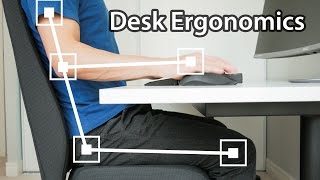
Sit in your chair with your feet flat on the floor and your back against the backrest. Adjust the chair height until your elbows sit near a 90 degree angle at the desk.
Close your eyes and sit in a relaxed, neutral posture. Open them and note where your gaze lands on the screen. That spot should be the top third of the monitor.
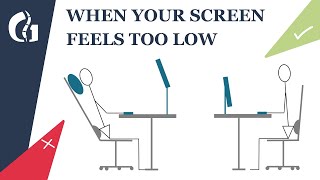
Raise or lower the monitor so its top edge is level with or slightly below your eye line. Use the stand's height adjustment, or put books or a riser under the base.
Tilt the screen back slightly, about 10 to 20 degrees, so it faces your eyes squarely. A screen that leans away makes you crane your neck forward.
Measure from your eyes to the screen. Aim for roughly an arm's length, about 50 to 70 cm, and adjust until text is easy to read without leaning in.
Check that the monitor sits straight in front of you, not off to one side. If you use two screens, turn your head only slightly to see the second one.
Lower the screen brightness to match the room and turn on any blue light filter or night mode in the evening. Take a short break every 20 to 30 minutes to look into the distance.
Tips and common mistakes
If you get headaches or dry eyes, fix height and distance before buying anything new.
A laptop on a stand needs an external keyboard and mouse so your hands stay low.
Keep the screen free of glare from windows and lamps, and avoid a bright wall behind it.
Recheck your setup after changing chairs or desks, since a few centimetres matters.
Questions
How high should my monitor be?
The top edge should be at or just below eye level, so you look slightly down at the centre of the screen. This keeps your neck straight.
How far should the monitor be from my eyes?
About an arm's length, roughly 50 to 70 cm. Move it closer if you have to lean forward to read small text.
Does blue light really cause eye strain?
Blue light can add to eye fatigue, but position, brightness and breaks matter more. Use night mode in the evening and look away from the screen regularly.
This guide was drafted from the video's details and general task knowledge. It has not been checked against the full video. Check the video and relevant product instructions before following a procedure. Report a correction.