Laptop Ergonomics At Home, by Olivier Girard - the Posture Guy on YouTube. 8 min 4 s.
- Video length
- 8 min 4 s
- Time to do it
- 20 minutes
- Difficulty
- Easy
- Steps
- 8
What you need
Steps
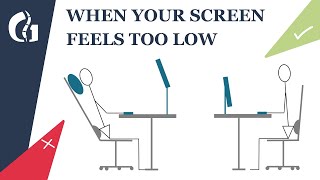
Raise the laptop so the top of the screen sits at or just below eye level. Use a laptop stand, a stack of books or a box.
Add a separate keyboard and mouse. Once the screen is high, the built-in keyboard is too high to type on comfortably.
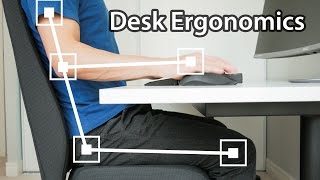
Sit back in your chair with both feet flat on the floor. Adjust the seat height so your hips are level with or slightly above your knees.
Keep your back supported against the chair backrest and let your shoulders relax down. Avoid leaning forward toward the screen.
Place the keyboard close enough that your elbows stay near your sides at about 90 degrees. Keep your wrists straight, not bent up.
Position the mouse next to the keyboard at the same height so you do not reach forward or sideways.
Check the screen distance: about an arm's length away. Move the laptop closer or further until text is easy to read without leaning in.
Take a short break every 30 to 45 minutes. Stand up, roll your shoulders and look into the distance for 20 seconds.
Tips and common mistakes
If you cannot add a keyboard, at least tilt the laptop screen back and look down with your eyes rather than your neck.
Keep the screen free of glare from windows and lamps to stop yourself leaning in.
A cheap laptop stand plus a separate keyboard fixes most home setups without buying a new desk.
Questions
Do I really need an external keyboard?
Yes, if you raise the screen to eye level. The built-in keyboard then sits too high and your wrists bend upward, which causes strain.
How high should the laptop screen be?
The top of the screen should be at or slightly below eye level so you look straight ahead or slightly down, not up or far down.
How often should I take breaks?
Roughly every 30 to 45 minutes. Even a one-minute stand and stretch helps reduce built-up tension.
This guide was drafted from the video's details and general task knowledge. It has not been checked against the full video. Check the video and relevant product instructions before following a procedure. Report a correction.