This Simple File Management System Changed My Life!, by Jeff Su on YouTube. 9 min 27 s.
- Video length
- 9 min 27 s
- Time to do it
- 45 minutes
- Difficulty
- Easy
- Steps
- 10
What you need
Steps
Write down the top areas you store files for, such as work, personal, finances and projects. These become your top-level folders.
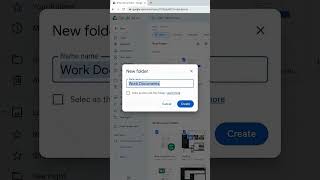
Create those top-level folders in your drive. Keep the hierarchy shallow: no more than five levels deep, with up to 99 folders per level.
Move existing files into the matching folders. Delete duplicates and anything you no longer need as you go.
Choose one naming rule. For dated files, start the name with the date in year-month-day order so they sort correctly. For other files, start with the project or client name.
Add a short keyword to file names so search finds them, for example a client name or topic word.
Star or flag the files you open most often so they sit at the top of your list.
Put shortcuts to frequently used folders on your desktop or sidebar instead of copying files into a second place.
Organize folders by where you use them, so each device or app has the folders it needs.
Use the search built into your file manager or cloud drive instead of digging through folders.
Clear your desktop and downloads folder at the end of each week, filing or deleting what is there.
Tips and common mistakes
Keep folder names short and consistent so you do not hesitate over where a file goes.
Do not nest folders more than five levels deep, since deep paths are hard to browse.
Use one naming rule across all files so sorting works the same everywhere.
Delete or archive old versions rather than keeping them next to the current file.
Questions
How many folders should I have at the top level?
Keep it to a handful, roughly five to ten, so you can pick one quickly. Add subfolders inside each area rather than more top-level folders.
Should I use dates or names first in file names?
Use a date first for files you sort by time, like meeting notes or reports. Use a project or client name first for files you look up by topic.
Do I need Google Drive for this system?
No. The same folder limits, naming rules and starring work in Finder, File Explorer, OneDrive or Dropbox.
This guide was drafted from the video's details and general task knowledge. It has not been checked against the full video. Check the video and relevant product instructions before following a procedure. Report a correction.