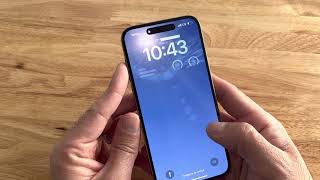
How To Fix iPhone Not Connecting To PC/Laptop - Step By Step, by GuideRealm on YouTube. 3 min 28 s.
- Video length
- 3 min 28 s
- Time to do it
- 15 minutes
- Difficulty
- Easy
- Steps
- 9
What you need
Steps
Your iPhone and keep the screen on. A locked phone will not hand over files or photos to a computer, so swipe up and stay on the home screen while you plug in.
Plug the cable into the iPhone and directly into a USB port on the computer, not a hub or keyboard. Avoid extension cables and front-panel ports on desktop PCs if you can.
Watch the iPhone screen for a Trust This Computer prompt and tap Trust, then enter your passcode. If no prompt appears, unplug and replug the cable.
Try a different cable and a different USB port. A cable that only charges, or one with a frayed end, is the most common cause of a phone that never appears on the computer.
Restart both devices. Power the iPhone off and on, then reboot the computer, reconnect the cable and check again.
Update iOS on the phone and update iTunes, the Apple Devices app or macOS on the computer. Old software on either side can block the connection.
On Windows, open Device Manager and look for your iPhone under Portable Devices or Universal Serial Bus controllers. If it shows a warning sign, right-click and update or reinstall the driver.
Reset the privacy settings on the iPhone. Go to Settings, General, Transfer or Reset iPhone, Reset, then Reset Location and Privacy. Reconnect and tap Trust again.
On a Mac, open Finder and select your iPhone in the sidebar. On Windows, open iTunes or File Explorer. If the phone still does not appear, restart the computer in safe mode and test once more.
Tips and common mistakes
Always the iPhone before plugging it in, since the trust prompt only appears on an unlocked screen.
Clean the charging port gently with a dry wooden toothpick to clear lint that stops data pins from making contact.
Avoid cheap charge-only cables, as many of them carry power but no data.
If nothing works, back up to iCloud and try the phone on a second computer to narrow down which device is at fault.
Questions
Why does my iPhone charge but not show up on my PC?
The cable or the port is usually the problem, since many cables carry power only. Try the original Apple cable in a different USB port before changing any settings.
How do I trust a computer if the prompt never appears?
Reset Location and Privacy in Settings, then unplug and replug the cable with the phone unlocked. The Trust prompt should appear within a few seconds.
Do I need iTunes to connect an iPhone to Windows?
You need iTunes or the newer Apple Devices app for backups and file transfer. Without one of them, Windows may only see the phone as a camera.
This guide was drafted from the video's details and general task knowledge. It has not been checked against the full video. Check the video and relevant product instructions before following a procedure. Report a correction.