How to Organize Your Files Better Than 99% of People, by Linking Your Thinking with Nick Milo on YouTube. 13 min 54 s.
- Video length
- 13 min 54 s
- Time to do it
- 45 minutes
- Difficulty
- Easy
- Steps
- 8
What you need
Steps
Clear your physical desk first. Put away everything you do not use daily and keep only the tools for your current task within reach.
Open your computer's file manager and look at your desktop and Downloads folder. These are usually the messiest spots.
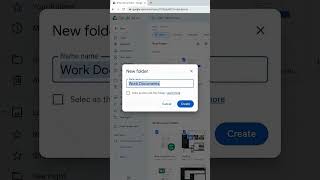
Create a small set of top-level folders, for example Work, Personal, Projects and Archive. Keep the list short so you can remember it.
Move files from your desktop and Downloads into the right folder. Delete duplicates and anything you no longer need.
Rename files with a clear, consistent pattern, such as date then topic, so they sort and search well.
Empty the Downloads folder into your folders at the end of each week so it does not pile up again.
Open your notes app and group notes into a few broad areas. Link related notes together instead of burying them in deep folders.
Write one short index note that links to your main areas so you always have a starting point.
Tips and common mistakes
Do the physical desk first, because a clear surface makes the digital clean-up easier to start.
Keep your top-level folder count small. If you need more than about seven, group them under a parent folder.
Search beats browsing. Good file names matter more than a perfect folder tree.
Questions
How often should I repeat this clean-up?
A short weekly tidy of your desktop and Downloads keeps things under control. Do the full three-part clean once or twice a year.
Do I need Obsidian for the notes part?
No. Any notes app with folders or links works. Obsidian is just the app used in the example.
What should I do with files I am unsure about?
Put them in an Archive folder. If you have not opened them in a year, it is usually safe to delete them.
This guide was drafted from the video's details and general task knowledge. It has not been checked against the full video. Check the video and relevant product instructions before following a procedure. Report a correction.