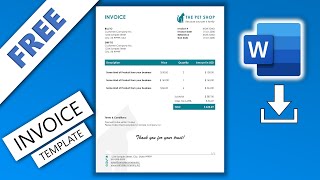
How to make an invoice in Word | MS Word Tutorials, by Lisa Doe on YouTube. 19 min 22 s.
- Video length
- 19 min 22 s
- Time to do it
- 25 minutes
- Difficulty
- Easy
- Steps
- 9
What you need
Steps
Open Microsoft Word and choose Blank document. Go to Layout > Margins and pick Normal, then set the page size to A4 or Letter for your region.
Add your business details at the top. Type the business name, address and contact details, then place the cursor where you want the logo.
Go to Insert > Pictures, choose your logo file, resize it by dragging a corner, and use the alignment tools to place it neatly.
Insert a table for the invoice details with Insert > Table. Use two columns for labels and values such as invoice number, invoice date, due date and client name.
Create the line item table with columns for description, quantity, rate and amount. Add enough rows for your items and a final row for the total.
Select cells you want to join and go to Layout > Merge Cells. Use Layout > Split Cells when you need to divide a cell into smaller parts.
Use Table Design > Borders to remove outer or inner lines and add only the lines you need. Apply shading to the header row so it stands out.
Align text with the Layout alignment buttons. Right align amounts, center quantities and keep descriptions left aligned for easy reading.
Add payment terms below the table, check every total, then save. Use File > Save As and choose Word Template (.dotx) to reuse it.
Tips and common mistakes
Select the whole table with the table handle before changing borders or shading so the format applies evenly.
Do not use spaces or tabs to line up amounts. Use table columns and right alignment instead.
Save the finished invoice as a PDF before sending it to a client so the layout stays fixed.
Check that table borders are set to print, because some border styles are invisible on screen and on paper.
Questions
Can I create an invoice in Word without a template?
Yes. Start with a blank document and build the layout with tables, borders and text boxes. Save it as a template once it works for you.
How do I save my invoice so I can use it again?
Go to File > Save As, choose Word Template (.dotx) and give it a clear name. Open that file each time you need a new invoice.
Why are my table lines missing when I print?
The borders may be set to No Border or a very light style. Select the table, open Table Design > Borders and apply All Borders or the lines you want.
This guide was drafted from the video's details and general task knowledge. It has not been checked against the full video. Check the video and relevant product instructions before following a procedure. Report a correction.