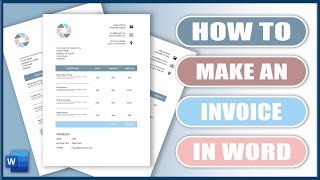
Word Invoice Template ⬇ FREE DOWNLOAD ✅, by Leon Renner on YouTube. 15 min 45 s.
- Video length
- 15 min 45 s
- Time to do it
- 45 minutes
- Difficulty
- Easy
- Steps
- 10
What you need
Steps
Open a blank Word document. Go to Layout > Margins to set your margins, then choose A4 or Letter under Layout > Size.
On the Home tab, open the Font dialog, pick your font and size, then click Set as Default to apply them to new documents.
Double-click the header area and add your business name and logo. Resize the logo by dragging a corner so it stays in proportion.
Edit the footer to include company details and a page number. Use Insert > Page Number and choose a position.
Select your body text, open the Paragraph dialog, and set spacing before and after so sections stay even.
Create the Bill to block with the customer's name, address and email. Add a Ship to block only if you send physical goods.
Add invoice data such as invoice number, issue date, due date and payment terms. Use a small two-column table to keep labels and values aligned.
Use Insert > Table to add four columns: description, quantity, unit price and total. Add a row for each item and a final total row.
Style the table from Table Design and Layout. Lighten or remove borders, shade the header row and right-align the numbers.
Add a Terms and Conditions section with payment terms and a thank-you line. Save the file as a Word template (.dotx) so you can reuse it.
Tips and common mistakes
Save the finished file as a.dotx template so each new invoice starts from a clean copy.
Use a two-column table for invoice details instead of tabs or spaces so the layout stays put.
Keep the line-item table simple and avoid merging cells in the data area.
Test the template with a long customer name and several items to catch layout breaks.
Questions
Can I make a fillable invoice in Word?
Yes. Use content controls from the Developer tab, or restrict editing, to turn the template into a fillable form.
Should I use Word or Excel for invoices?
Word is easier for design and layout. Excel is better when you need automatic totals, though Word tables can also hold simple formulas.
How do I add my logo to every invoice?
Put the logo in the header so it repeats on every page. Double-click the header, insert the image, then resize it from a corner.
This guide was drafted from the video's details and general task knowledge. It has not been checked against the full video. Check the video and relevant product instructions before following a procedure. Report a correction.