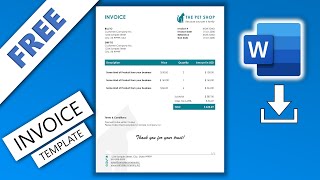
How to Create Auto Calculated Invoice in Microsoft Word | Word Formula | Word Dynamic Invoice, by TECH PISTHA on YouTube. 5 min 19 s.
- Video length
- 5 min 19 s
- Time to do it
- 20 minutes
- Difficulty
- Easy
- Steps
- 9
What you need
Steps
Open a blank Word document and type your business name, address and contact details at the top. Leave room for the invoice number, date and client address.
Go to Insert, click Table and pick 4 columns by 6 rows. Label the columns Item, Qty, Unit Price and Total in the top row.
Type each product or service in the Item column and fill in the Qty and Unit Price cells. Leave every Total cell empty for now.
Click in the first Total cell, then open Table Layout and click Formula. Type =PRODUCT(LEFT) in the Formula box and click OK.
In the Number format box of the same dialog, type \# "#,0.00" so the total shows two decimals. Click OK.
Copy that formula cell, paste it into the remaining Total cells, then click each one and press F9 to calculate it.
Add a Subtotal row under the table. Click its cell, choose Table Layout, Formula, type =SUM(ABOVE) and click OK.
For tax, click the tax cell and use Formula with =SUM(ABOVE)*0.2, replacing 0.2 with your own rate. Add a final Total row with =SUM(ABOVE).
Press Ctrl+A to select the document, then F9 to refresh every formula. Save the file and export a PDF with File, Save As, PDF.
Tips and common mistakes
Word does not recalculate by itself when you type a new quantity, so click the cell and press F9.
Keep the Total column empty before you add formulas, or SUM(ABOVE) may count old numbers twice.
Use cell references like =B2*C2 when your table has extra columns that PRODUCT(LEFT) would wrongly multiply.
Save the finished file as a Word template (.dotx) so each new invoice starts with the formulas ready.
Questions
Why does the total stay the same after I change a quantity?
The total is a field, not live maths. Click the cell and press F9, or right-click and choose Update Field, to recalculate it.
Can I use cell references instead of LEFT and ABOVE?
Yes. Word numbers table cells like a spreadsheet, starting at A1, so =B2*C2 multiplies the Qty and Unit Price cells in row two.
Will the formulas still work if I email the invoice?
Only if the client opens the Word file. Send a PDF instead so the totals you calculated stay fixed on their screen.
This guide was drafted from the video's details and general task knowledge. It has not been checked against the full video. Check the video and relevant product instructions before following a procedure. Report a correction.