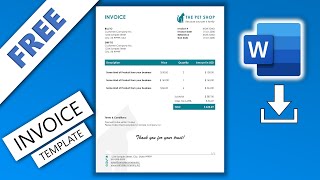
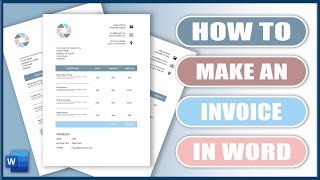
How to Create Modern Bill Invoice Template in Microsoft Word Document, by PDFEditing on YouTube. 11 min 14 s.
- Video length
- 11 min 14 s
- Time to do it
- 20 minutes
- Difficulty
- Easy
- Steps
- 9
What you need
Steps
Open a blank Word document and go to Layout, then Margins, then Narrow. This gives you more width for the line item columns.
Click in the header area and type your business name in bold. Add your address, phone and email underneath, then place your logo with Insert, then Pictures.
Type Invoice in a large bold font on the left. On the right, add a small two column table for the invoice number, issue date and due date.
Create a Bill To block with the client's name, company, address and email so it is clear who is being charged.
Insert a table with four columns: Description, Quantity, Rate and Amount. Add one row for each product or service you are charging for.
Click the last cell of the Amount column and use Table Layout, then Formula, and type =SUM(ABOVE). Word adds up the rows for you.
Add a payment terms section below the table with your bank details, accepted payment methods and the date payment is due.
Turn off most table borders under Table Design, then shade the header row light grey for a modern, tidy look.
Save the file with File, then Save As, choosing Word Template (.dotx) so you can reuse it, and export a PDF copy with File, then Export.
Tips and common mistakes
Use one font family and two sizes at most, or the invoice starts to look cluttered.
Put the total in bold and add a thin line above it so the amount due is easy to spot.
Save a template copy before you fill in client details, otherwise you overwrite your blank master.
Check that the invoice number and dates are correct before sending, since Word does not number invoices automatically.
Questions
Can I create an invoice in Word for free?
Yes. A blank document plus tables and text boxes is enough, and you can save it as a template for repeat use. You only pay if you choose to buy a ready made design.
How do I make the total update automatically?
Use Table Layout, then Formula, with =SUM(ABOVE) in the last cell of the Amount column. Right click the total and choose Update Field after you change any numbers.
Should I send the Word file or a PDF?
Send a PDF so the layout cannot shift and the client cannot edit the figures. Keep the Word file for your own records and future invoices.
This guide was drafted from the video's details and general task knowledge. It has not been checked against the full video. Check the video and relevant product instructions before following a procedure. Report a correction.