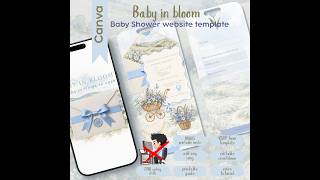
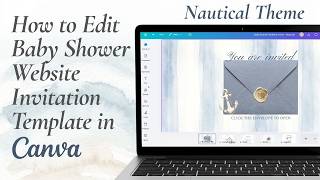
How to Edit a Safari Toile Baby Shower Website Invitation in Canva #babyshower #babyshowerplanning, by Grateful North Star on YouTube. 2 min 20 s.
- Video length
- 2 min 20 s
- Time to do it
- 20 minutes
- Difficulty
- Easy
- Steps
- 10
What you need
Steps
Open the template link in your browser and sign in to Canva. The pages panel on the left shows all four website pages plus the bonus printable card.
Click any text box, select the placeholder words, and type your own. Update the parents' names, event date, start and end time, and venue address.
Change the palette and fonts if you like. Select an element, then use the color and font menus in the top toolbar to keep the beige and oatmeal look consistent.
Update the venue button. Click the Google Maps button, choose the link icon, and paste the share link for your venue so guests can tap for directions.
Connect your registries. Select each gift button, open the link option, and paste the registry address. Repeat for every store you use.
Add background music. Go to Elements, search for the embed option, and paste your YouTube video link into the box.
Set the countdown clock. Click the timer element and enter your event date and time, then check it counts in the right direction.
Choose one RSVP method. Keep the built-in Canva form, or embed a Google Form link in its place, then delete the option you are not using.
Edit the diaper raffle and Books for Baby sections with your own rules, such as bringing a pack of diapers to enter or one book instead of a card.
Click Share, then Website, publish to the free Canva domain, and copy the link. Text that link to your guests and open it on your own phone to test every button.
Tips and common mistakes
Test all buttons and the RSVP form on a phone before you send the link, since most guests will open it on mobile.
Keep text blocks short so the page still reads well on a small screen.
Republish the site after any edit, otherwise guests keep seeing the old version.
For the bonus card, download as PDF Print and print at 100 percent scale on 5x7 inch card stock.
Questions
Do guests need a Canva account to view the invitation?
No. Once you publish the website, anyone with the link can open it in a browser. Only you need an account to edit it.
Can I still print a paper invitation?
Yes. The bundle includes a matching 5x7 inch card. Download it as a PDF Print file and print at full size for keepsakes or for guests who prefer paper.
How do I add my gift registry link?
Click the registry button, choose the link option in the toolbar, and paste your registry web address. Do this for each store and test each one.
This guide was drafted from the video's details and general task knowledge. It has not been checked against the full video. Check the video and relevant product instructions before following a procedure. Report a correction.