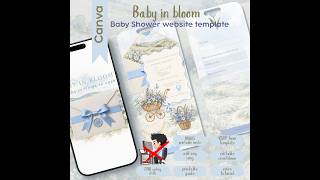
How to Edit a Nautical Baby Shower Website Invitation in Canva "Little Sailor" Step-by-Step Tutorial, by Grateful North Star on YouTube. 11 min 6 s.
- Video length
- 11 min 6 s
- Time to do it
- 30 minutes
- Difficulty
- Easy
- Steps
- 10
What you need
Steps
Open the template link in Canva and click Use template. Canva makes a copy in your own account, so the original stays untouched.
Click the first page and retype the placeholder wording: parent names, baby name or theme, shower date, start time and venue name.
Select the countdown clock element and open its settings to set your shower date and time. Check the time zone matches your venue.
Add music by opening the Embed app in the editor, pasting your YouTube video link, then resizing the player to sit neatly on the page.
Select the directions button, choose the link icon and paste your Google Maps venue link. Test that it opens the right pin.
Click each registry button on the wooden signpost and paste the matching registry URL so guests land on the correct list.
Link the RSVP form by pasting your form URL into the RSVP button. Update the Diaper Raffle and Books for Baby cards with your own guidelines.
Swap or delete the watercolor sailboats, anchors and buoys by clicking them and using the resize handles or the delete key.
Click Share, then Publish as website, check the mobile preview, and publish. Copy the canva.site link to send to guests.
For a paper copy, open the bonus 5x7 inch card page, choose Share, Download, PDF Print, and print at 100 percent scale.
Tips and common mistakes
Do the layout edits on a desktop or laptop, then check the published link on your phone before sharing.
Embedded YouTube music will not autoplay on most phones, so tell guests to tap the play button.
Set the countdown clock a few hours before the real start time so it does not show zero while guests arrive.
Keep every text box short, because long paragraphs push the layout out of shape on small screens.
Questions
Do I need Canva Pro for this invitation?
No. The template is built to be edited and published in the free version of Canva. You only need a free account to open your copy.
Can guests open the invitation without an app?
Yes. You send them a web link and it opens in any phone browser. They can scroll the pages, tap links and submit the RSVP form.
Can I print the invitation instead of sending a link?
Yes. The bundle includes a matching 5x7 inch card page. Download it as a PDF Print file and print it on card stock at full scale.
This guide was drafted from the video's details and general task knowledge. It has not been checked against the full video. Check the video and relevant product instructions before following a procedure. Report a correction.