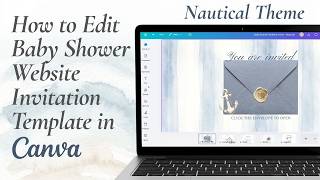
Baby in Bloom Baby Shower Website Template Tutorial | Editable Canva Invite How-To, by FiscalPrudence on YouTube. 21 min 27 s.
- Video length
- 21 min 27 s
- Time to do it
- 30 minutes
- Difficulty
- Easy
- Steps
- 10
What you need
Steps
Open the template link in your browser and log in to your free Canva account. Click Use template to copy the design into your own account so you can edit it.
Look at the page panel on the left and click through the four pages: envelope, invitation, RSVP and gift registry. Select the page you want to edit first.
Select each placeholder text box and type your own details: names, date, time and venue. Change the font from the toolbar to match your theme.
Click a shape, border or text box, then click the color tile to swap in a soft blue or floral shade from the palette.
Open Uploads, add your own photos, then drag each one onto the page and resize it by pulling the corner handles.
Click the countdown timer element and enter your event date and time so it counts down automatically for guests.
Set up the RSVP form by adding fields for name, number of guests and dietary needs, then choose where the replies go.
Select the gift registry button, click the link icon and paste your registry URL so guests land on the right page.
To add a song, use the Embed option and paste a YouTube video link, then drag the player into place on the invitation page.
Click Share, then Website, publish the site and copy the link or download the QR code to send to guests.
Tips and common mistakes
Duplicate the template before you start so you always keep an untouched copy to fall back on.
Open the published link on your phone, since most guests will view it on mobile.
Keep text short and check it still reads well at phone size.
Test the RSVP form and countdown yourself before you send the link out.
Questions
Do I need Canva Pro for this?
No. The template is built to work with a free Canva account, so you can edit and publish without a paid plan.
How do guests receive the invitation?
You publish the design as a website, then share the link by text, email or a QR code printed on a card.
Can I also print the invitation?
Yes. The template set includes a 5x7 printable invitation you can download and print at home or through a print shop.
This guide was drafted from the video's details and general task knowledge. It has not been checked against the full video. Check the video and relevant product instructions before following a procedure. Report a correction.