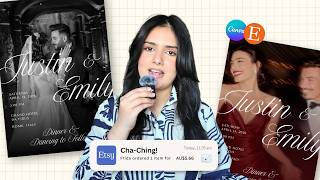
How to Add Copyright-Free Music in Canva, by Gravenberg Tutorials on YouTube. 1 min 19 s.
- Video length
- 1 min 19 s
- Time to do it
- 15 minutes
- Difficulty
- Easy
- Steps
- 9
What you need
Steps
Open your invitation in Canva and switch the design type to Video so you can add audio and set a duration.
Click the Audio tab in the left sidebar and search the library for a track. Filter by genre or mood to narrow results.
Hover over a track and click the plus or add button to place it on the timeline. The audio appears as a bar under the design.
To use your own file, go to Uploads, click Upload files and pick an MP3. Then drag it onto the timeline.
Drag the edge of the audio bar to trim it, or right-click the track and choose to split or trim the clip.
Click the audio bar and use the volume slider to set a comfortable level. Lower it if you add voiceover.
Select each page and set its duration so the slides change in time with the music.
Add animations to text and images from the Animate tab, then preview the whole design to check sync.
Click Share, then Download, choose MP4 Video and set the quality. Wait for the file to finish rendering.
Tips and common mistakes
Check the license label on each track. Tracks marked free are safe for personal invites.
Keep the soundtrack shorter than the design, or loop it, so the music does not cut off abruptly.
Preview on a phone before sending, since many recipients open invites on mobile.
Questions
Can I use my own song file?
Yes. Upload an MP3 through Uploads and drag it to the timeline. Make sure you have the rights to use that song.
Why is there no sound in my exported file?
Check that the audio bar sits on the timeline and is not muted. Export as MP4 Video, not as an image or PDF.
Is the Canva audio library free?
Many tracks are free for personal use, but some need a Pro plan. Look at the label on each track before adding it.
This guide was drafted from the video's details and general task knowledge. It has not been checked against the full video. Check the video and relevant product instructions before following a procedure. Report a correction.