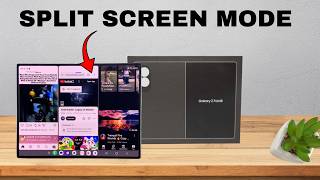
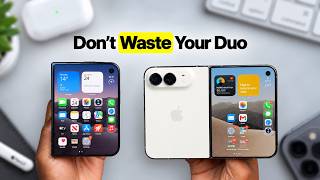
The iPhone Duo drops back to a single app when you fold the inner screen into portrait, so split view is out. This guide shows a workaround: float the video in picture in picture, then stack it above whatever app you open. It suits anyone who wants to keep watching while texting, reading or browsing.
YouTube video: How to Watch a Video Above Another App in Portrait Mode on iPhone Duo
Caption availability is unknown. Check the CC control in the YouTube player.
Choose a chapter (10)
- Video length
- 3 min 4 s
- Time to do it
- 2 minutes
- Difficulty
- Easy
- Steps
- 8
What you need
Steps
Unfold the iPhone Duo and hold it so the inner display sits in portrait orientation. Landscape gives you side-by-side apps, but portrait returns you to a single-app view.
Open the video you want to watch and start playback. Use an app or browser that supports picture in picture, such as the built-in video player or Safari.
Activate picture in picture from the player. Tap the picture in picture icon, or use the player menu, so the video is ready to shrink into a floating window.
Return to the home screen with the home gesture. The video keeps playing in a small floating window that sits over the home screen.
Open the app you want to use underneath the video. It fills the screen and the floating video stays on top.
Drag the floating video window toward the top of the screen and let it settle there so it stacks above the app instead of covering the middle.
Leave the window at its default shape. The floating video keeps its own aspect ratio, so the app below stays visible around it.
Reposition the window whenever it blocks something you need to read or tap. Drag it by its edge to another corner and carry on.
Tips and common mistakes
Picture in picture has to be enabled in Settings before the icon appears in most players.
Some apps stop the video or drop the floating window when you switch away, so test your player first.
Keep the floating window near the top edge so buttons and text fields at the bottom of the app stay reachable.
Audio keeps playing from the floating window, so lower the volume before you open a second app.
Questions
Why does the video go full screen again when I open another app?
Picture in picture was not active before you left the player. Start the floating window first, then open the second app.
Can I get true split view in portrait on the iPhone Duo?
The inner display goes back to a single-app view when you rotate to portrait, so the floating video window is the workaround.
Can I resize the floating video?
You can move it around the screen, but it keeps its own aspect ratio, so treat it as a fixed-size window rather than a resizable one.
The notes are drafted automatically from video details and general task knowledge. How the guide was prepared
Report a correction