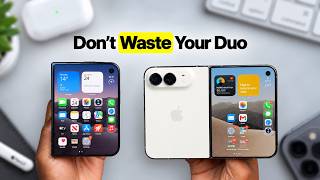
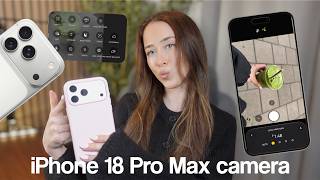
The Camera Control button on the iPhone Duo opens the camera, takes photos and QuickTake video, and gives quick access to zoom, exposure and styles. This guide covers the presses, swipes and settings so the button works the way you want. It suits anyone new to the phone.
YouTube video: How to Use the Camera Control Button on iPhone Duo
Caption availability is unknown. Check the CC control in the YouTube player.
Choose a chapter (11)
- Video length
- 9 min 5 s
- Time to do it
- 10 minutes
- Difficulty
- Easy
- Steps
- 9
What you need
Steps
Press the Camera Control button once to open the Camera app. It works with the iPhone Duo folded or open, and in any orientation you hold it.
Press Camera Control again to take a photo. Press and hold it to record a QuickTake video, then release to stop recording.
Light press the button to bring up the adjustment strip. Swipe along the button to move through the available controls.
Light press to pick an adjustment such as Zoom, Exposure, Depth, a camera lens, Photographic Styles or Tone, then swipe to change the value.
If no adjustments appear, open Settings, go to Camera, then Camera Control, and turn the adjustments on there.
Open Settings, then Camera, then Camera Control to customise the button. Choose which adjustments appear in the strip.
Set the button to need a double click before it opens Camera, and limit it to when the screen is on.
Turn Camera Control off completely with the Camera Control toggle on the same settings screen.
Switch Visual Intelligence and Siri camera access on or off with their own toggles in the Camera Control settings.
Tips and common mistakes
A light press needs only a gentle touch, so pressing firmly takes a photo instead of opening the adjustments.
If swipes feel unresponsive, check that adjustments are enabled in Settings before assuming the button is faulty.
Require a double click or screen-on only if you keep opening the camera by accident.
Keep the button and your fingertip dry and clean so light presses register reliably.
Questions
Why are the Camera Control adjustments missing?
They are usually switched off in Settings, Camera, Camera Control. Turn them on there and the adjustment strip comes back.
Can I use Camera Control when the phone is folded?
Yes. The button works with the iPhone Duo folded or open, and in any orientation.
How do I stop the camera opening by accident?
Set the button to need a double click, or limit it to when the screen is on, in the Camera Control settings.
The notes are drafted automatically from video details and general task knowledge. How the guide was prepared
Report a correction