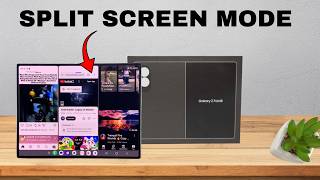
You will open two apps side by side on the iPhone Duo, resize the windows and swap them when you need to. It suits anyone who just picked up the foldable and wants to multitask without hunting through settings. You need the phone unfolded and apps that support Split View.
YouTube video: iPhone Duo Split View: The Easy Way to MultiTask
Caption availability is unknown. Check the CC control in the YouTube player.
Choose a chapter (6)
- Video length
- 4 min 2 s
- Time to do it
- 5 minutes
- Difficulty
- Easy
- Steps
- 7
What you need
Steps
Unfold the iPhone Duo so the full inner screen sits flat, then open the first app you want to use.
Swipe up slowly from the bottom edge and hold until the app switcher appears, keeping your finger on the screen.
Drag the second app from the switcher to the left or right edge of the screen and release it when the window snaps into place.
Drag the handle in the middle divider left or right to give one app more room, if the apps allow resizing.
Press and hold the handle at the top of one window, then drag it across the other app to swap their positions.
For a floating video, start playback, swipe up to send it to picture-in-picture, then open your second app underneath.
To go back to one app, drag the divider all the way to the edge of the screen or swipe up to reach the home screen.
Tips and common mistakes
Not every app supports Split View, so test the pair you rely on before you count on it.
If the second app will not snap into place, drag it closer to the very edge of the screen.
Picture-in-picture only works in apps that allow it, and you can drag the floating window to any corner.
Split View needs the phone unfolded, so folding it gives you a single app again.
Questions
Can I use Split View with any two apps?
No. Both apps need to support multitasking, and some only open full screen. If one app refuses to sit in a window, try a different pair.
Does Split View work when the phone is folded?
No. You need the inner screen unfolded to see two windows side by side. Folded, the phone shows one app at a time.
How do I close just one of the two apps?
Drag the divider between the windows all the way to the edge of the screen. That app drops out and the other one fills the display.
The notes are drafted automatically from video details and general task knowledge. How the guide was prepared
Report a correction