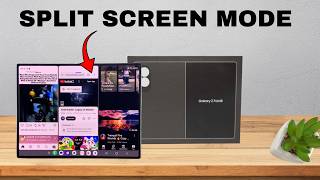
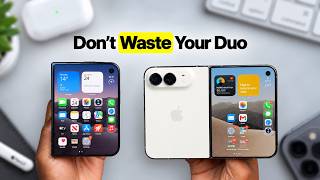
You will learn how to run two apps side by side on an iPhone Duo, resize and swap the panes, and keep a favourite pair together. It suits anyone who wants to read mail while watching a video or drag text between apps. You need an iPhone Duo with the latest software and apps that support multitasking.
YouTube video: iPhone Duo - TIPS, TRICKS & HIDDEN FEATURES!!
Caption availability is unknown. Check the CC control in the YouTube player.
Choose a chapter (40)
- Video length
- 14 min 45 s
- Time to do it
- 5 minutes
- Difficulty
- Easy
- Steps
- 9
What you need
Steps
Open the first app you want to use. Swipe up slowly from the bottom edge of the screen and hold until the Dock appears.
Touch and hold the second app icon in the Dock, then drag it to the left or right edge of the screen. Let go when the two apps resize.
Drag the black divider left or right to give one app more room. Some apps stop at a minimum width.
To swap sides, drag the small handle at the top of one app across the divider and drop it on the other side.
Use the glue option to pin the pair. The same two apps will then reopen together in split view next time you launch them.
To leave split view, drag the divider all the way to one edge, or drag an app's top handle upwards to make it full screen again.
For a floating video, start playback, then swipe up to the home screen. The video shrinks into a small window you can move around.
To split the on-screen keyboard, touch and hold the keyboard key at the bottom right and pick Split, or pinch the keyboard inwards.
Touch and hold a photo, link or block of text until it lifts, drag it over the divider, and release it in the other app.
Tips and common mistakes
Drag slowly once you reach the screen edge, or the app snaps back to the Dock instead of opening in split view.
If the Dock will not appear, check that both apps are installed and updated, because old versions often skip multitasking.
Turn on Picture in Picture in Settings under General if a video pauses instead of floating when you leave the app.
Not every app supports a second copy in the other pane, so test the pair before you rely on it.
Questions
Can I use split view with any two apps?
No. Both apps need to support multitasking. Apps that do not will open full screen and push the other one aside.
How do I close split view?
Drag the divider all the way to one edge to close that app, or drag an app's top handle up to send it full screen.
Will my two apps stay together?
Only if you use the glue option. Otherwise the pair resets and the next app opens on its own.
The notes are drafted automatically from video details and general task knowledge. How the guide was prepared
Report a correction