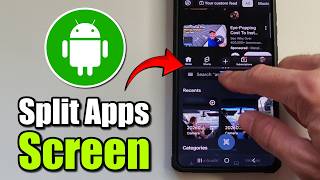
HONOR Pad X8b – How to Open Apps in Split Screen View, by TUTORIAL_info on YouTube. 3 min 15 s.
- Video length
- 3 min 15 s
- Time to do it
- 2 minutes
- Difficulty
- Easy
- Steps
- 8
What you need
Steps
Open the first app you want to use. Tap the small icon in the top right corner of the screen to shrink that app into a floating window.
Tap the blue line at the top of the floating window and choose Split Screen from the menu.
Pick the second app from the list. It opens in the other half of the screen, and both apps now run side by side.
To change the window sizes, press and hold the three dots in the middle of the divider and drag left or right.
To move an app to the other side, tap the three dots and select Swap. The two apps trade places.
Tap Save if you use this pair often. A shortcut for the two apps together is added to your home screen.
Use the top bar buttons to manage the pair: Replace to load a different app in one half, Close to remove an app, and Full Screen to make one app fill the display.
To turn a split screen app into a small floating window instead, choose the popup option from the top bar.
Tips and common mistakes
Not every app supports split screen, so if an app refuses to open in the second half, try a different one.
Drag the middle handle slowly; letting go too early can leave the divider in an awkward position.
Saved shortcuts are handy for app pairs like a browser and a notes app that you open together every day.
Closing one app with the Close button ends split screen and returns the other app to full screen.
Questions
How do I remove a saved split screen shortcut?
Press and hold the shortcut on your home screen, then choose Remove or drag it to the delete area. The app pair itself stays installed, only the shortcut goes.
Can I use more than two apps at once?
Split Screen View holds two apps side by side. For a third app, open it as a popup floating window on top of the split screen.
Why is the Split Screen option greyed out?
The app you are trying to add probably does not support split screen. Try another app from the list, such as a browser or a notes app.
This guide was drafted from the video's details and general task knowledge. It has not been checked against the full video. Check the video and relevant product instructions before following a procedure. Report a correction.