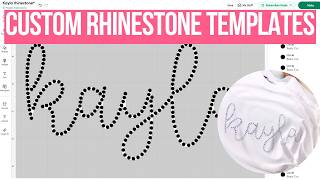
Build a custom hotfix rhinestone template from a free image and cut it on your Cricut. You will size the design, cut rhinestone flock, fill it with SS10 stones and press it onto a shirt. It suits beginners with a Cricut and basic heat press.
YouTube video: Save Hundreds 🤑 On Rhinestone Designs With This Free Method
Caption availability is unknown. Check the CC control in the YouTube player.
Choose a chapter (18)
- Video length
- 18 min 7 s
- Time to do it
- 1 hour
- Difficulty
- Medium
- Steps
- 9
What you need
Steps
Pick a simple image with clear shapes and remove its background in remove.bg, then save it as a PNG.
Upload the image to Cricut Design Space and size it to fit your shirt. Keep the design within the mat area.
Use Google AI to turn the image into a rhinestone template with evenly spaced circles sized for SS10 stones, then upload that file to Design Space.
Create a custom material setting in Design Space for rhinestone flock and cut the template on your Cricut.
Apply the flock to a sticky mat, cut it, then peel the mat away slowly to remove the flock without curling it.
Weed away the excess flock so only the circle holes for the stones remain.
Pour hotfix rhinestones over the template and brush them into the holes so each one sits face up.
Lay transfer film over the filled template and press it so the stones stick to the film.
Place the transfer film on your shirt and press with a heat press at the time and temperature for hotfix rhinestones, then peel the film while warm.
Tips and common mistakes
Match stone size to your template holes, since SS10 stones are about 2.7 to 2.9 mm wide.
Keep the design small enough that the stones stay evenly spaced and the flock does not tear.
Press a small test piece first to confirm your heat press time and temperature.
Store leftover stones by size so refilling the template goes faster.
Questions
Do I need a Cricut Maker for this?
No. Any Cricut that cuts flock works, though a Maker handles thicker material more easily.
Can I reuse the rhinestone template?
Yes, if you peel the flock off the mat carefully and store it flat, you can refill and reuse it.
What if the stones will not stay in the holes?
Check that your template holes match your stone size and that the flock is pressed flat on the mat.
The notes are drafted automatically from video details and general task knowledge. How the guide was prepared
Report a correction