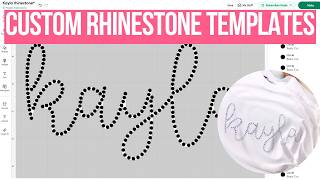
You will cut a reusable rhinestone template from flocked or template vinyl on a Cricut-style cutter, then weed it and fill the holes with stones. It suits crafters who already know basic vinyl cutting and want to make custom bling designs. You need a cutter, template vinyl and a rhinestone size that matches your design.
YouTube video: How To Create Custom Rhinestone Templates With a Vinyl Cutter (STEP BY STEP GUIDE)
Caption availability is unknown. Check the CC control in the YouTube player.
- Video length
- 26 min 11 s
- Time to do it
- 45 minutes
- Difficulty
- Medium
- Steps
- 7
What you need
Steps
Create or download your rhinestone design in the cutter software. Make sure the circles match your stone size, for example SS10 or SS16, so the holes fit the rhinestones.
Mirror the design if your template vinyl has a backing that must face up. Place the template vinyl on the cutting mat with the correct side up.
Set the material to a flocked or template vinyl setting and cut. Use a fresh fine-point blade and test on a scrap piece first.
Weed the design. Remove the circles so each stone position becomes an open hole, and keep the surrounding vinyl intact.
Place the weeded template onto your fabric or work surface. Press it down firmly so no gaps let stones slip under the edges.
Pour rhinestones over the template and spread them with a brush or tray. Work the stones into the holes with your fingers or a brush.
Lift the template straight up. The stones stay in place on the adhesive or fabric below, ready for heat setting or gluing.
Tips and common mistakes
Cut a small test circle first to confirm the hole size fits your stones before cutting the full design.
Keep the blade sharp and slow the cut speed on thick template vinyl to avoid ragged holes.
Press the template edges down well, or small stones will slide underneath and ruin the pattern.
Questions
What vinyl do I use for a rhinestone template?
Use dedicated rhinestone template vinyl or flocked vinyl. It holds the holes open and releases stones cleanly when you lift the template.
How do I know what stone size to use?
Match the circle size in your design file to the stone size, such as SS10 or SS16. Cutting a test hole is the safest way to check the fit.
Can I reuse the template?
Yes, a well-cut template vinyl can be reused several times. Store it flat and keep the holes free of lint and stray stones.
The notes are drafted automatically from video details and general task knowledge. How the guide was prepared
Report a correction