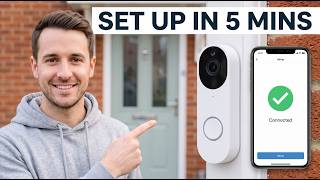
This guide walks you through wiring a smart home control panel to your main control unit and mounting it on the wall. It suits homeowners who want to handle the wiring themselves instead of hiring a pro. You need basic electrical tools and a working main control unit.
YouTube video: DIY Smart Home Panel Installation That Actually Works
YouTube’s video details do not confirm captions. Check CC in the player for available tracks.
- Video length
- 9 min 33 s
- Time to do it
- 1 hour
- Difficulty
- Medium
- Steps
- 9
What you need
Steps
Turn off the power to the circuit at your breaker box and confirm it is dead with a voltage tester before touching any wires.
Open the panel's back plate and check the wiring diagram printed on it or in the manual.
Strip about 1 cm of insulation from each wire and connect the live, neutral and ground wires to the matching terminals.
Connect the control wires from the panel to the main control unit, following the terminal labels.
Tug each wire gently to confirm it is seated, then close the back plate.
Hold the back plate against the wall, mark the screw holes with a pencil and drill the holes.
Press the wall anchors in, screw the back plate in place and clip the panel onto it.
Restore power and run the initial configuration in the panel's app.
If a device shows as unsupported during setup, check that it is on the same network and update its firmware, then add it again.
Tips and common mistakes
Never work on live wires; switch off the breaker and test before you start.
Photograph the old wiring before you disconnect anything so you can match it later.
Use the wiring diagram for your exact model, since terminal layouts differ between brands.
Questions
Do I need to turn off the breaker?
Yes. Switch off the circuit at the breaker box and test the wires with a voltage tester before you touch them.
What if a device is unsupported during setup?
Check that the device is on the same network, update its firmware and try adding it again.
Can I install the panel without a main control unit?
No. The panel connects to your main control unit, so that unit must already be set up.
The notes are drafted automatically from video details and general task knowledge. How the guide was prepared
Report a correction