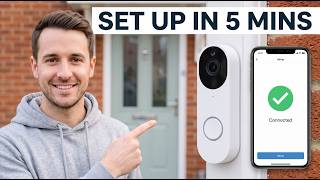
Set up your Ring Chime Pro in the Ring app, join it to your Wi-Fi and link it to your Ring doorbell or cameras so you hear alerts indoors. It suits anyone with a Ring doorbell or camera who wants a plug-in chime and a stronger signal. You need the Ring app and your Wi-Fi password.
YouTube video: Ring Chime Pro Setup - Link to a Ring DoorBell and Indoor Camera!
Captions are available. Use CC in the YouTube player.
- Video length
- 6 min 34 s
- Time to do it
- 15 minutes
- Difficulty
- Easy
- Steps
- 7
What you need
Steps
Open the Ring app and tap Set Up a Device. Choose Chime Pro from the list of devices.
Scan the QR code on the Chime Pro or on its box when the app asks for it.
Plug the Chime Pro into a wall outlet. Watch the LED light to see the setup status.
Enter your Wi-Fi network name and password so the Chime Pro joins your home network.
Pick the doorbell or cameras you want this Chime to alert you for, then save the choice.
Choose a custom audio tone for each linked device and set the volume.
Press the doorbell or trigger motion to test the chime, then check device health in the app.
Tips and common mistakes
Place the Chime Pro between your router and the doorbell to get the best Wi-Fi extension.
If setup stalls, unplug the Chime and plug it back in, then restart the app.
Keep the Chime away from water and out of reach of children since it plugs into mains power.
Questions
Do I need a Ring Chime Pro for my doorbell to work?
No. The doorbell works without it, but the Chime gives you an indoor sound alert and can extend your Wi-Fi signal.
Can one Chime Pro cover several cameras?
Yes. You can link multiple Ring doorbells and cameras to the same Chime Pro in the app.
What does the flashing green light mean?
It usually means the Chime is in setup mode and waiting to connect to your Wi-Fi network.
The notes are drafted automatically from video details and general task knowledge. How the guide was prepared
Report a correction