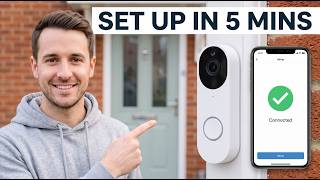
You will mount the Ring Battery Doorbell Plus on your door frame and connect it to the Ring app. It suits anyone with basic DIY skills and a phone. You need the doorbell, its mounting kit, a drill and your home Wi-Fi password.
YouTube video: How To Install Ring Battery Doorbell Plus (2nd Gen)- Full Installation Guide
YouTube’s video details do not confirm captions. Check CC in the player for available tracks.
- Video length
- 7 min 11 s
- Time to do it
- 30 minutes
- Difficulty
- Easy
- Steps
- 7
What you need
Steps
Charge the battery fully, then open the Ring app and tap Set Up a Device. Choose Doorbells and pick Battery Doorbell Plus.
Scan the QR code on the back of the doorbell with your phone camera to add it to your Ring account.
Hold the mounting bracket at chest height beside your door and mark the screw holes with a pencil.
Drill pilot holes at the marks, then screw the bracket to the wall or door frame with the included screws.
Snap the doorbell onto the bracket and press it down until it clicks into place.
Follow the app prompts to connect the doorbell to your 2.4 GHz Wi-Fi network and name the device.
Adjust the motion zones and notification settings in the app, then press the button to test the chime and live view.
Tips and common mistakes
Mount the doorbell at about chest height so the camera sees faces clearly.
Use the 2.4 GHz Wi-Fi band if setup keeps failing.
Check the battery level in the app every few months so the doorbell does not go dead.
Questions
Do I need to remove the old doorbell first?
Yes. Turn off power at the breaker if the old doorbell is wired, then remove it and its bracket before marking the new holes.
Can I install it without drilling?
The kit includes screws for wood and masonry. For rentals or hard surfaces, use the adhesive mount if your kit has one, but screws hold better.
How long does the battery last?
Battery life depends on motion events and live view use. Check the level in the Ring app and recharge with the included USB cable.
The notes are drafted automatically from video details and general task knowledge. How the guide was prepared
Report a correction