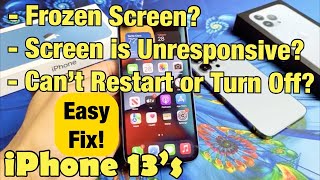
(NEW) Fix Any iPhone Frozen/Stuck/Loop Screen (How to Force Restart!), by Daniel About Tech on YouTube. 7 min 19 s.
- Video length
- 7 min 19 s
- Time to do it
- 5 minutes
- Difficulty
- Easy
- Steps
- 8
What you need
Steps
Plug the iPhone into a charger and leave it for a few minutes. A completely flat battery can look like a frozen screen.
On an iPhone 8 or newer, including the SE 2nd and 3rd generation, press and quickly release the volume up button.
Press and quickly release the volume down button. Then press and hold the side button until the Apple logo shows.
On an iPhone 7 or 7 Plus, press and hold the volume down button and the side button at the same time until the Apple logo appears.
On an iPhone 6s or older, and the SE 1st generation, press and hold the Home button and the top or side button until the Apple logo appears.
Let go of the buttons when the logo appears and wait for the phone to start. A force restart does not erase your photos, apps or settings.
If the screen is still stuck, charge the phone for 30 minutes and repeat the button sequence for your model.
If it stays on the Apple logo or keeps looping, connect it to a computer and use recovery mode or a repair tool. Recovery mode can erase the phone, so back up first if you can.
Tips and common mistakes
Do not bother with the slide to power off slider, because a frozen touchscreen will not respond to it.
Press the buttons firmly and keep holding, since the Apple logo can take up to 20 seconds to appear.
Avoid repair apps that ask for payment before they show what they will fix.
If the phone is hot, wet or swollen, unplug it and get it checked before you try again.
Questions
Will a force restart delete anything on my iPhone?
No. A force restart only reboots the phone, so your photos, apps and settings stay as they are.
What is the difference between a force restart and a factory reset?
A force restart just reboots the phone. A factory reset erases all content and settings, so only use it as a last resort after a backup.
Why does my iPhone keep freezing after a restart?
An old iOS version, a full storage drive or a faulty app can cause it. Update iOS, free up space and remove recent apps before you try a repair.
This guide was drafted from the video's details and general task knowledge. It has not been checked against the full video. Check the video and relevant product instructions before following a procedure. Report a correction.