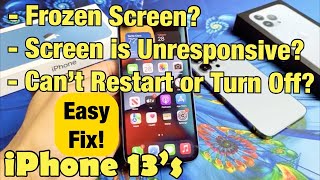
How To Reset Frozen iPhone 16 / 16 Pro, by WebPro Education on YouTube. 1 min 38 s.
- Video length
- 1 min 38 s
- Time to do it
- 2 minutes
- Difficulty
- Easy
- Steps
- 6
Steps
Find the buttons first. The volume up and volume down buttons sit on the left edge of the iPhone 16 and 16 Pro. The side button is on the right edge.
Press the volume up button once and let go. Then press the volume down button once and let go. Do it quickly, one right after the other.
Immediately press and hold the side button on the right edge. Keep your finger down for 10 to 15 seconds without letting go.
Ignore anything that appears on the screen, including the slide to power off slider. Keep holding the side button until the display goes completely black.
Release the side button once the screen is off. Wait a few seconds and the Apple logo appears in the middle of the screen.
Leave the phone alone while it starts up. The lock screen returns within a minute, with your apps, photos and settings still in place.
Tips and common mistakes
A force restart only reboots the phone, so your photos, apps and settings stay exactly as they were.
Do not swipe the power off slider if it shows up. Keep holding the side button through it.
If the screen stays black, plug the iPhone into a charger and run the button sequence again.
Take off a thick case if it makes the side button hard to press firmly.
Questions
Will a force restart delete anything on my iPhone?
No. It is just a hard reboot, so your data, apps and settings are untouched. Only a factory reset or erase wipes the phone.
What is the difference between a force restart and a factory reset?
A force restart reboots the phone when the screen freezes. A factory reset erases everything and sets the iPhone up from scratch, so only use it as a last resort.
What if the buttons do not respond at all?
Charge the iPhone for 15 to 30 minutes first, then repeat the sequence. If it still will not turn on or show the Apple logo, contact Apple Support.
This guide was drafted from the video's details and general task knowledge. It has not been checked against the full video. Check the video and relevant product instructions before following a procedure. Report a correction.