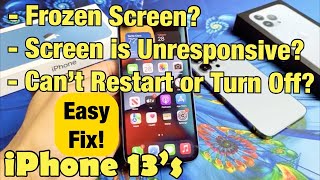
How To Force Restart a Stuck or Frozen iPhone 13, by Tech Jamie on YouTube. 1 min 19 s.
- Video length
- 1 min 19 s
- Time to do it
- 2 minutes
- Difficulty
- Easy
- Steps
- 7
What you need
Steps
Tap the screen and press a volume button once. If nothing responds after a few seconds, the phone is frozen and needs a force restart.
Press and quickly release the Volume Up button on the left edge. Do not hold it down.
Press and quickly release the Volume Down button, just below it. Again, a quick press only.
Press and hold the Side button on the right edge of the phone. Keep your finger on it and ignore the slide to power off slider if it appears.
Hold for up to 15 seconds until the Apple logo shows on a black screen. Then let go of the Side button.
Wait for the phone to finish starting up, then it with Face ID or your passcode as usual.
If nothing happens after about 20 seconds, plug the phone into a charger for 15 minutes and repeat the three button presses.
Tips and common mistakes
A force restart only reboots the phone, so your data and settings stay exactly as they were.
The three presses must be quick and in order. Holding Volume Up or Volume Down opens other menus instead.
If the phone freezes again the same day, check for an iOS update or free up storage space.
A phone stuck on the Apple logo for more than 15 minutes may need a computer and a restore.
Questions
Will I lose anything by force restarting?
No. A force restart is just a hard reboot, so photos, messages and apps are untouched. Anything you had typed but not saved may be lost.
What is the difference between a force restart and a factory reset?
A force restart only reboots the phone when it freezes. A factory reset erases all content and settings, and you run it from Settings, not with the buttons.
What if the Apple logo never appears?
Charge the phone for at least 15 minutes first, then try the button sequence again. If it still stays black, connect it to a computer and use recovery mode.
This guide was drafted from the video's details and general task knowledge. It has not been checked against the full video. Check the video and relevant product instructions before following a procedure. Report a correction.