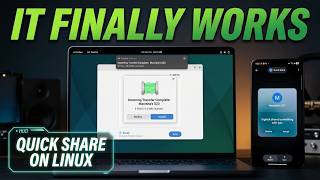
Android Phone: How to Fix Quick Share Not Working - Quick Share Issue, by Mobileinto on YouTube. 2 min 58 s.
- Video length
- 2 min 58 s
- Time to do it
- 10 minutes
- Difficulty
- Easy
- Steps
- 9
What you need
Steps
Update Quick Share on both devices. Open the Play Store, search for Quick Share and tap Update. On Windows, download the latest Quick Share app from android.com.
Turn on Wi-Fi and Bluetooth on both devices and bring them within about a metre of each other. Quick Share needs both radios, not just one.
On the receiving device, open Settings, then Google, then Devices and sharing, then Quick Share. Set Who can share with you to Everyone while you troubleshoot.
The receiving screen and keep it awake. A locked or sleeping phone often will not appear in the sender's device list.
Restart both devices. This clears stuck Bluetooth and Wi-Fi sessions that block the connection.
Clear the cache on the sending phone. Go to Settings, Apps, Quick Share, Storage, then tap Clear cache. Repeat for Google Play services if the problem continues.
Check that date and time are set to automatic in Settings, then turn off any VPN. A wrong clock or an active VPN breaks device discovery.
On Windows, join the same Wi-Fi network as the phone, set that network to Private, and allow Quick Share through Windows Defender Firewall when the popup appears.
Send a small test file such as a photo. Tap Quick Share, pick the device, and accept the prompt on the receiving screen.
Tips and common mistakes
Switch Who can share with you back to Contacts once everything works, so strangers cannot send you files.
Keep both screens on and the Quick Share panel open during the transfer, since background battery savers can cut the link.
If the PC never appears, disconnect the phone from a VPN and from any guest Wi-Fi network before retrying.
Questions
Does Quick Share need an internet connection?
No. It transfers over a direct Wi-Fi and Bluetooth link, so mobile data is not required. Both devices do need Wi-Fi and Bluetooth switched on.
Why does my Windows PC not show up in Quick Share?
Usually the PC is on a different network or the firewall is blocking it. Set the Wi-Fi network to Private and allow Quick Share through the firewall, then reopen the app.
Will clearing the cache delete my files?
No. Clearing the cache only removes temporary app data. Your photos and documents stay where they are.
This guide was drafted from the video's details and general task knowledge. It has not been checked against the full video. Check the video and relevant product instructions before following a procedure. Report a correction.