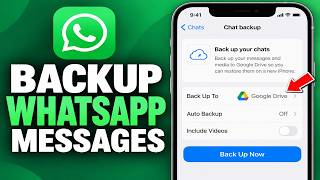
How To Transfer WhatsApp Business From Android To iPhone (Full Guide 2026), by Phone Minute on YouTube. 2 min 5 s.
- Video length
- 2 min 5 s
- Time to do it
- 30 minutes
- Difficulty
- Medium
- Steps
- 8
What you need
Steps
Update WhatsApp Business on the Android phone, then open Settings, tap Chats, then Chat backup, and tap Back up to Google Drive. Decide whether to include videos.
Know the limit before you start. Android backups sit in Google Drive and the iPhone version only restores from iCloud, so you need a transfer tool or exported chats to carry messages across.
Save the chats you cannot lose. Open a chat, tap the three dots, choose More, then Export chat, pick Without media and email the file to yourself.
Install WhatsApp Business from the App Store on the iPhone and sign in with the same phone number. Type the six digit code that arrives by SMS.
Run an Android to iPhone transfer tool on a computer and follow its on screen prompts. Keep both phones unlocked and cabled until it finishes.
Open the transferred chats on the iPhone and check recent messages, photos, voice notes and labels against the export files you saved.
Rebuild the business profile: name, category, address, opening hours, catalogue items, greeting message, quick replies and away message.
Keep the Android phone and its Google Drive backup for at least two weeks before you wipe or sell it, in case something is missing.
Tips and common mistakes
WhatsApp Messenger and WhatsApp Business keep separate backups, so do not expect one app's backup to open in the other.
Export chats without media and move photos through a cloud drive, since large video files slow the transfer down.
Test the whole process with one chat first so you spot a missing step before moving thousands of messages.
Never pay for a tool that asks for your WhatsApp verification code, and skip anything that wants you to disable two step verification.
Questions
Can I restore a Google Drive backup on an iPhone?
No. WhatsApp Business on iPhone restores only from iCloud, so an Android backup in Google Drive cannot be loaded directly. You need a transfer tool or exported chat files.
Do I lose my chats if I skip the transfer tool?
You start with an empty chat list on the iPhone. Exported text files keep the words in each conversation, but photos, voice notes and videos stay on the old phone.
Does this work the same for regular WhatsApp?
The steps are nearly identical, but the two apps hold separate backups and separate registrations, so move each one on its own.
This guide was drafted from the video's details and general task knowledge. It has not been checked against the full video. Check the video and relevant product instructions before following a procedure. Report a correction.