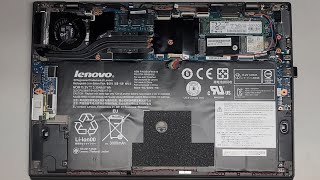
Why This Alienware M15 R7 Wouldn't Turn On (And How I Fixed It Twice!), by Parts-People Dell Laptop Experts on YouTube. 12 min 59 s.
- Video length
- 12 min 59 s
- Time to do it
- 1 to 2 hours
- Difficulty
- Takes practice
- Steps
- 8
What you need
Steps
Unplug the charger and remove the bottom cover. Plug the charger back in through a USB-C power meter and watch the draw. No reading at all points to a board fault rather than a dead battery.
Lift the battery connector and inspect the whole board under magnification. Look for burn marks, cracked components, corrosion or liquid damage around the power section before you test anything.
Set your multimeter to continuity or resistance and probe each main power rail inductor to ground. A reading near zero ohms means that rail is shorted, so note which one it is.
Narrow the short down. Inject a low voltage into the shorted rail and look for the warm spot with a thermal camera, or dab isopropyl alcohol on the area and watch which part evaporates first.
Add flux around the suspect MOSFET and heat it with hot air at around 350 to 400 degrees Celsius. Lift the part with tweezers once the solder flows and set it aside.
Measure the rail to ground again with the MOSFET removed. If the near-zero reading is gone, the MOSFET was the fault. If it stays, keep hunting on that rail.
Check the parts around it for the real cause. A shorted capacitor or a failed driver chip can take out a new MOSFET, so test those before you fit a replacement.
Fit the new MOSFET of the same part number, solder it down with hot air, and clean off the flux. Reconnect the battery, then the charger, and confirm the laptop powers on before you reassemble.
Tips and common mistakes
Never keep the charger plugged in while you probe a shorted rail, since the fault can pull high current and damage more parts.
Mark every screw and connector you remove with tape or a magnetic bowl so reassembly stays simple.
Use plenty of flux and preheat the board a little, because cold solder joints on tiny MOSFETs are easy to create.
If the same MOSFET fails again, stop and check the gate driver circuit instead of fitting a third part.
Questions
How do I know my laptop motherboard has a short?
The laptop shows no lights or fan spin, and your multimeter reads close to zero ohms between a power rail and ground. A USB-C meter showing no draw with the charger connected is another strong sign.
Can a shorted MOSFET be replaced at home?
Yes, if you have a hot air rework station, flux and a replacement part with the same number. It is fine work on a dense board, so practise on a scrap board first.
Is it worth repairing a board-level short?
Often yes, since a single MOSFET or capacitor is cheap compared with a new motherboard. Get a quote first if the damage has spread across several components.
This guide was drafted from the video's details and general task knowledge. It has not been checked against the full video. Check the video and relevant product instructions before following a procedure. Report a correction.