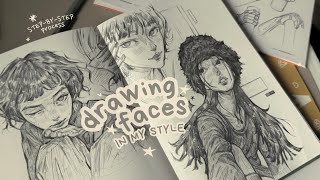
How to Draw Faces & Heads for Beginners - BNG Studio, by BNG Studio on YouTube. 6 min 15 s.
- Video length
- 6 min 15 s
- Time to do it
- 30 minutes
- Difficulty
- Easy
- Steps
- 8
What you need
Steps
Open a blank canvas in your drawing app and pick a soft round brush. Keep the sketch on a separate layer so you can lower its opacity later.
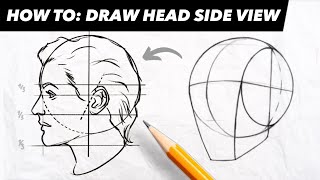
Start with structure. Draw a circle for the cranium, then add a tapered shape below for the jaw and chin. Keep the lines light and loose.
Mark the proportions. Split the face with a vertical center line and a horizontal eye line at the middle of the head. Place the nose halfway between the eyes and chin, and the mouth halfway between nose and chin.
Check the width. The head is about five eyes wide, with one eye space between the eyes. Sketch the ears between the eye line and the nose line.
Add perspective. Tilt the center line and eye line together to turn the head. Curved lines wrap the features around the form when the head looks up or down.
Build character. Adjust the jaw shape, cheekbones, eye size and spacing to make the face distinct. Small changes to these shapes change the whole look.
Lower the sketch layer opacity and draw clean features on a new layer above it. Refine the eyes, nose, mouth and hairline.
Practice the same head from a few angles. Repeat the structure and proportion steps quickly to build muscle memory.
Tips and common mistakes
Keep your first lines light so you can erase and adjust without smudging the sketch.
Draw the whole head before detailing any single feature, or the proportions will drift.
Use a photo reference and check the eye line and nose line against it.
Flip the canvas now and then to spot lopsided features.
Questions
Do I need a drawing tablet?
A tablet makes digital drawing easier, but you can follow the same steps on a phone or tablet with a stylus. Paper and pencil work too.
How long does it take to get good at faces?
It depends on practice. Drawing a few heads a day with the structure and proportion steps will show progress within weeks.
Which app should a beginner use?
Any app with layers and a basic brush works. Krita is free, and Procreate is popular on iPad.
This guide was drafted from the video's details and general task knowledge. It has not been checked against the full video. Check the video and relevant product instructions before following a procedure. Report a correction.