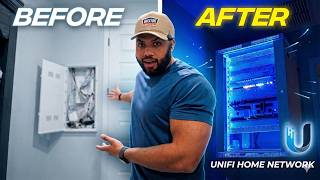
How To Build a Home Network for Beginners (2026 Guide), by Ultimate Tech Hub on YouTube. 10 min 54 s.
- Video length
- 10 min 54 s
- Time to do it
- 2 hours
- Difficulty
- Medium
- Steps
- 10
What you need
Steps
Sketch your home layout and mark where the modem, router and main devices sit. Note dead spots and rooms that need wired connections so you can plan cable runs.
Order an internet plan that fits your household. Check the speed you need for streaming, gaming and work, and confirm the modem type your ISP supports.
Buy a router with enough Wi-Fi coverage and ports. Add a gigabit switch if you have many wired devices, and an access point if the house is large.
Connect the modem to the router's WAN port with an Ethernet cable. Plug the router into power and wait for the status lights to settle.
Open the router's admin page in a browser using the address on its label. Follow the setup wizard to set the admin password and network name.
Run Ethernet cables from the router or switch to fixed devices like TVs, consoles and desktop PCs. Use Cat 6 cable and keep runs under 100 metres.
Set up your Wi-Fi networks with a clear name and a strong password. Use the 5 GHz or 6 GHz band for speed and 2.4 GHz for range.
Place the router or access point high and central, away from metal and microwaves. Pick a clear channel and update the router firmware.
Change the default admin password, use WPA3 or WPA2 encryption and turn off WPS. Check for firmware updates and set up a guest network for visitors.
Test speeds in each room and reconnect devices. Label cables and save your network details somewhere safe.
Tips and common mistakes
Keep the router out of cupboards and off the floor for better Wi-Fi coverage.
Use Cat 6 Ethernet cable for runs to future-proof against faster internet plans.
Never reuse the default router admin password, since it is publicly known.
Restart the modem and router in order if the internet drops after setup.
Questions
Do I need a switch if my router has enough ports?
No. A switch only helps when you have more wired devices than router ports, or when you want to run one cable to a room and split it there.
Is a mesh system better than one router?
A mesh system suits large or multi-floor homes because it spreads coverage with several units. A single strong router is fine for smaller flats.
How do I secure my home network?
Change the admin password, use WPA3 or WPA2, disable WPS and keep the firmware updated. A guest network keeps visitors off your main devices.
This guide was drafted from the video's details and general task knowledge. It has not been checked against the full video. Check the video and relevant product instructions before following a procedure. Report a correction.