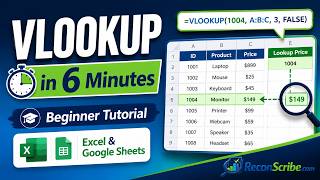
How to use VLOOKUP in Google Sheets, by Teacher's Tech on YouTube. 12 min 36 s.
- Video length
- 12 min 36 s
- Time to do it
- 15 minutes
- Difficulty
- Easy
- Steps
- 9
What you need
Steps
Put the value you want to search for in the leftmost column of your data range, with the result you want back in a column to its right.
Click an empty cell and type =VLOOKUP( to start the formula.
Enter the cell holding your search key, then type a comma.
Select the whole table range, then press F4 to lock it with dollar signs so it does not shift when you copy the formula.
Type the column index number, counting the first column of your range as 1, not column A of the sheet.
Type FALSE, or 0, for an exact match, close the bracket and press Enter.
Drag the small square at the bottom right corner of the cell down to copy the formula to the rest of your list.
Wrap the formula in IFERROR, for example =IFERROR(VLOOKUP(A2,$D$2:$F$50,3,FALSE),"Not found"), to replace #N/A errors.
For two criteria, add a helper column that joins both values with the & symbol, then look up that combined value.
Tips and common mistakes
VLOOKUP only looks to the right, so your search key must sit in the first column of the range you select.
If you leave out the last argument, Sheets assumes approximate match and can return the wrong row on unsorted data.
Always lock the range, or copied formulas drift downwards and start returning #N/A.
Switch to XLOOKUP or INDEX with MATCH when you need to look up a value sitting to the left of the key.
Questions
Why does my VLOOKUP return #N/A?
The key was not found in the first column. Check for extra spaces, trailing characters, or a number stored as text in one table and as a real number in the other.
Can I look up data from a different sheet?
Yes. Select the range on the other sheet and Sheets writes it as Sheet2!A2:C50. Lock it with dollar signs the same way.
Does VLOOKUP return text as well as numbers?
Yes, it returns whatever is in the matching cell, text, numbers or dates. Copy the cell formatting if a date comes back as a plain number.
This guide was drafted from the video's details and general task knowledge. It has not been checked against the full video. Check the video and relevant product instructions before following a procedure. Report a correction.