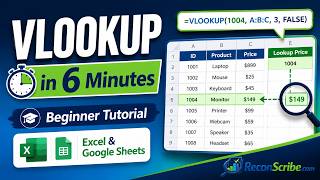
Stop struggling with formulas!! | Learn VLOOKUP, HLOOKUP, XLOOKUP and MATCH in Google Sheets!, by Sirexcelco on YouTube. 17 min 11 s.
- Video length
- 17 min 11 s
- Time to do it
- 15 minutes
- Difficulty
- Easy
- Steps
- 9
What you need
Steps
Lay out your source data in a clean table with one header row and no blank columns inside it. VLOOKUP only searches the leftmost column of the range, so put the value you will search on the left.
Click the cell where you want the answer and type =VLOOKUP(. Sheets shows a tooltip listing the four parts: search key, range, index and sorted.
Enter the value to find, the range with the lookup column first, the column number to return, and FALSE for an exact match. Press Enter to run it.
For example, =VLOOKUP(A2,Sheet2!A:D,3,FALSE) finds A2 in column A of Sheet2 and returns the value from column C of the same row.
Switch to HLOOKUP when your labels run across the top row instead of down a column. It takes the same four parts but counts rows down from the top of the range.
Type =XLOOKUP(search_key, lookup_range, result_range) to search in any direction and return a value from any column, left or right of the key.
For example, =XLOOKUP(A2,Sheet2!B:B,Sheet2!A:A) finds A2 in column B and returns the matching value from column A, even though that column sits to the left.
Use =MATCH(key, range, 0) on its own to get the position number of a value. That number can feed other formulas instead of you counting columns by hand.
Combine the two with =INDEX(B:B,MATCH(A2,A:A,0)) to look up a result without hard-coding a column number, so the formula survives inserted columns.
Tips and common mistakes
Lock the range with dollar signs, like $A$2:$D$100, so the formula still works when you copy it down.
Always use FALSE or 0 for the last part of VLOOKUP, or you may get an approximate match from the wrong row.
XLOOKUP is newer and may not work in older sheets or shared files, so VLOOKUP is safer for files other people edit.
Delete blank rows and trailing spaces in the lookup column, because either one can return #N/A.
Questions
Why does my VLOOKUP return #N/A?
The value you are searching for is not in the first column of your range, or it has a trailing space or different case formatting. Check the range starts on the lookup column and that the last part of the formula is FALSE.
What is the difference between VLOOKUP and XLOOKUP?
VLOOKUP can only search the first column of a range and return values to the right of it. XLOOKUP lets you name the lookup column and the result column separately, so it can return values to the left too.
Can VLOOKUP look to the left?
No. Use XLOOKUP or an INDEX and MATCH pair instead, since both can return a value from a column that sits before the lookup column.
This guide was drafted from the video's details and general task knowledge. It has not been checked against the full video. Check the video and relevant product instructions before following a procedure. Report a correction.