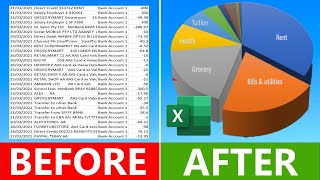
How to Track Expenses & Set Renewal Reminders | SubScale Tutorial #Tracker #BillReminders #SubScale, by AI For Everyone With Jigar on YouTube. 1 min 19 s.
- Video length
- 1 min 19 s
- Time to do it
- 10 minutes
- Difficulty
- Easy
- Steps
- 8
What you need
Steps
Install SubScale from the Google Play Store or the App Store, or open the SubScale website in your browser. Create a free account and sign in.
Open the add expense or add subscription screen. Enter the name of the service, such as Netflix or your phone plan.
Set the amount and choose how often it renews: monthly, yearly or another cycle. Add the next payment date.
Pick a category for the expense, like entertainment or utilities, so you can see where your money goes.
Save the entry. Repeat for every recurring bill you pay, including free trials that will start charging.
Open the reminder or notification settings for each entry. Choose how many days before the renewal you want the alert.
Allow notifications for SubScale in your phone settings so the alerts can reach you. On iPhone, check Settings, then Notifications, then SubScale.
Review the dashboard or list view to see your total monthly spend and the next upcoming renewals.
Tips and common mistakes
Add free trials right away with the date the charge starts, since these are the easiest payments to forget.
Set reminders at least two or three days ahead so you have time to cancel before the charge.
Check the list once a month and delete services you no longer use.
Turn on notifications in your phone settings, or the reminders will never appear.
Questions
Do I need to pay for SubScale?
The video describes a free SubScale account, so you can start tracking without paying. Check the app for any paid plans before you rely on extra features.
Can I track bills that are not subscriptions?
Yes. You can log any recurring expense, such as rent, insurance or utility bills, as long as you set the amount and renewal cycle.
What happens if I miss a reminder?
The expense stays in your list with its next payment date, so you can still see it on the dashboard. Open the app regularly to catch anything you missed.
This guide was drafted from the video's details and general task knowledge. It has not been checked against the full video. Check the video and relevant product instructions before following a procedure. Report a correction.