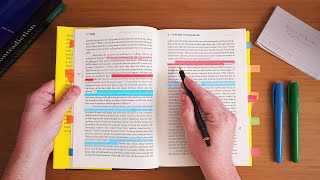
how to take NOTES that will score you an A+ in exams ✍️ | free Notion template, by fayefilms on YouTube. 8 min 24 s.
- Video length
- 8 min 24 s
- Time to do it
- 30 minutes
- Difficulty
- Easy
- Steps
- 9
What you need
Steps
Sign up for a free Notion account at notion.so, or log in if you already have one. Use the same email you check for school.
Open the video description and click the link to the free note-taking template. Choose Duplicate in the top right corner to copy it into your own workspace.
Create one page per subject inside the template. Name each page with the subject and exam date so you can find it fast.
Before class, skim the topic headings in your textbook or slides. Write two or three questions you want answered so you listen with a purpose.
During the lecture, write short bullet points in your own words. Skip full sentences and capture definitions, formulas and anything the teacher repeats.
After class, read your textbook section and add only the details your notes are missing. Keep each point to one line.
Turn each heading into a question and answer it from memory in the template. This active recall step is what makes notes useful for exams.
Tag or highlight key terms, dates and formulas so they stand out when you revise. Add a short summary box at the top of each page.
Review your notes within 24 hours, then again after a week. Fix gaps and rewrite any point you cannot explain out loud.
Tips and common mistakes
Write notes by hand or type them, but always paraphrase. Copying sentences word for word wastes time and does not help memory.
Keep one template layout for every subject so your brain learns where to look during revision.
Do not decorate notes for hours. Colour and layout only help if the content is already correct and complete.
On low-motivation days, set a five minute timer and review one page. Starting small usually gets you going.
Questions
Do I need to pay for Notion to use the template?
No. A free Notion account is enough to duplicate and edit the template. Notion AI is a separate paid add-on and is not required.
Should I take notes on paper or in Notion?
Either works. Notion is better for searching, tagging and linking pages, while paper can be faster in fast lectures. Pick one and stay consistent.
How do I take notes from a content-heavy textbook?
Read one section at a time, then close the book and write the main points from memory. Check the book afterwards and add only what you missed.
This guide was drafted from the video's details and general task knowledge. It has not been checked against the full video. Check the video and relevant product instructions before following a procedure. Report a correction.