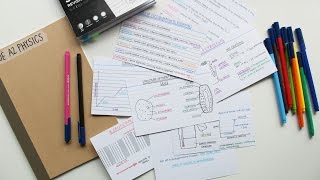
Cornell notes split your page into a narrow cue column, a wide notes area and a summary strip at the bottom. You write notes during class, add questions or keywords in the cue column afterwards, then summarise the page. It suits students in lectures or while reading a textbook.
YouTube video: How to Use Cornell Notes
Captions are available. Use CC in the YouTube player.
- Video length
- 4 min 5 s
- Time to do it
- 10 minutes
- Difficulty
- Easy
- Steps
- 7
What you need
Steps
Draw a horizontal line about 5 cm from the bottom of the page. This strip is for your summary.
Draw a vertical line about 6 cm from the left edge, from the top down to the summary line. The narrow left column is the cue column.
Write the course, date and topic at the top of the page.
During the lecture, write your notes in the wide right column only. Use short phrases, lists and abbreviations, and leave space between ideas.
After class, write a question or keyword in the cue column next to each block of notes. These become your study prompts.
Write a two or three sentence summary of the page in the bottom strip. State the main idea in your own words.
To revise, cover the notes column, read each cue, and say the answer out loud. Uncover the notes to check yourself.
Tips and common mistakes
Keep the cue column empty during the lecture so you can focus on writing notes.
Review and fill in the cue column within a day, while the lecture is still fresh.
Write the summary from memory first, then check it against your notes.
Questions
Do I need special paper?
No. Any notebook works. Just draw the two lines with a ruler, or use pre-printed Cornell note paper.
What goes in the cue column?
Questions you expect on a test, key terms or short prompts that trigger the notes beside them.
How long should the summary be?
Two or three sentences that capture the main point of that page.
The notes are drafted automatically from video details and general task knowledge. How the guide was prepared
Report a correction