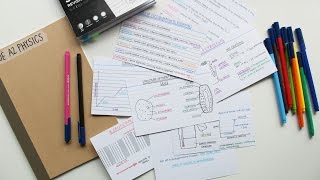
CODONS Flashcards in the Cerebellum app let you revise with active recall and spaced repetition instead of rereading notes. You build a custom deck from a subject and its chapters, then rate each card honestly so the schedule adapts. It suits NEETPG, INICET and FMGE students who want a daily recall habit.
YouTube video: How to Study with CODONS Flashcards in Cerebellum App | Active Recall + Spaced Repetition
Caption availability is unknown. Check the CC control in the YouTube player.
- Video length
- 13 min 53 s
- Time to do it
- 15 minutes
- Difficulty
- Easy
- Steps
- 10
What you need
Steps
Open the Cerebellum app and sign in. Go to Flashcards on the home screen, either through the Start Now button or the shortcut touchpoint.
Create a Custom Deck. Pick your subject first, then select the chapters or topics you want to cover in that deck.
Choose the card type for the deck: standard, image-based or fill-in-the-blanks. Pick the one that matches the facts you keep forgetting.
Set the session size to 20, 50 or 100 cards. Start with 20 if you are new to the app so you actually finish.
Read each prompt and recall the answer from memory before you reveal it. Do not reread your notes in between.
Rate the card honestly as Got it, Almost there or Had no clue. The algorithm uses this rating to decide when you see the card again.
Keep going until the session ends. Every card needs two consecutive Got it ratings before it leaves the session.
Come back the next day and work through Today's Deck. It follows a spaced repetition schedule of 0, 1, 2, 4 and 8 days.
Bookmark tricky cards into the Important, Weak Areas or Final Lap lists so you can revise them separately before an exam.
Check the analytics dashboard to see your streak, cards done today, time spent and subject-wise performance.
Tips and common mistakes
After you finish a topic or a class, run that topic's Custom Deck the same day, then follow Today's Deck daily.
Rate cards truthfully. Marking Got it when you guessed breaks the schedule and pushes weak cards out of sight.
A card you rate Had no clue three times becomes a Googly card and appears more often, so expect repeat cards in weak areas.
Five consecutive Got it ratings mark a card as Aced and it shows up less frequently, which frees time for harder material.
Questions
What is the difference between Aced and Googly cards?
Aced cards have five consecutive Got it ratings and appear less often. Googly cards have three Had no clue ratings and appear more often so you can focus on them.
How many cards should I do in one session?
Pick 20, 50 or 100 when you build the deck. Twenty is enough for a daily habit, and you can move up once the routine feels easy.
Do I need to write my own cards?
No. You build a deck by choosing a subject and its chapters or topics, and the app supplies the cards in standard, image-based or fill-in-the-blanks format.
The notes are drafted automatically from video details and general task knowledge. How the guide was prepared
Report a correction