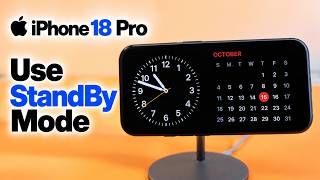
Just Got the iPhone Duo? Do These 9 Things First, by Proper Honest Tech on YouTube. 18 min 16 s.
- Video length
- 18 min 16 s
- Time to do it
- 20 minutes
- Difficulty
- Easy
- Steps
- 9
What you need
Steps
Unfold the phone and open your first app. Swipe up from the bottom and hold, then drag a second app from the dock onto the screen so both run side by side.
Open the Camera app and swipe along the mode list to try photo, video, portrait and the rest. Try shooting with the phone half folded so it stands on its own.
Go to Settings > Touch ID & Passcode and tap Add a Fingerprint. Press and lift your finger on the sensor several times, then repeat for your other thumb.
In Settings > Touch ID & Passcode, turn on with Apple Watch. A paired watch that is unlocked on your wrist can then open the phone for you.
Decide what the volume buttons control. In Settings > Sounds & Haptics, turn off Change with Buttons to lock the ringtone volume, and use the buttons as a shutter in the Camera app.
Open Settings > Standby and switch Standby on. Charge the phone, set it down in landscape on a stand, and the screen becomes a clock, calendar or photo display.
Sign in at Settings > FaceTime with your Apple ID and pick the address people should reach you on. Open the FaceTime app, tap New FaceTime and add a contact to call.
Open the App Store, tap your picture in the top corner, then tap Update All. Turn on App Updates in Settings > App Store so future versions install on their own.
Go to Settings > Apple Intelligence & Siri, tap Join the waitlist or turn the switch on, then wait for the download to finish with the phone on Wi-Fi and charging.
Tips and common mistakes
Standby Mode only stays on while the phone is charging and lying on its side, so a cheap stand makes it usable on a desk or bedside table.
Add a fingerprint from each hand so the phone opens whichever way you pick it up.
Install the latest iOS update before turning on Apple Intelligence, because some features only arrive in later releases.
Update your apps before judging battery life, as old versions often drain power faster.
Questions
Why does Standby Mode not turn on?
It needs the phone plugged in and resting in landscape. Check that Standby is switched on in Settings and that the screen is locked, not left awake in an app.
Do I need an Apple Watch to the phone?
No. with Apple Watch is optional and only works if you already own a paired watch. Touch ID still opens the phone on its own.
Do these settings work on older iPhones?
Some do, like updating apps and setting up FaceTime. Standby Mode, with Apple Watch and Apple Intelligence need a recent iPhone and a current version of iOS.
This guide was drafted from the video's details and general task knowledge. It has not been checked against the full video. Check the video and relevant product instructions before following a procedure. Report a correction.