A new iPad Mini 8 starts with most settings left at their defaults. This guide covers the first changes worth making, from a second fingerprint and Dark Mode to Stage Manager, split screen and Apple Pencil pairing. It suits anyone setting up the tablet for the first time.
YouTube video: iPad Mini 8 (A20 Pro 2026) - First 17 Things To Do! (Tips & Tricks)
Caption availability is unknown. Check the CC control in the YouTube player.
Choose a chapter (19)
- Video length
- 10 min 15 s
- Time to do it
- 20 minutes
- Difficulty
- Easy
- Steps
- 10
What you need
Steps
Open Settings, tap Touch ID and Passcode, then add a second fingerprint. Register a finger from your other hand so unlocking still works when you hold the iPad sideways.
Go to Settings, Display and Brightness and choose Dark Mode. On the OLED screen, dark backgrounds look deeper and are easier on the eyes at night.
Press and hold the lock screen, then tap Customize to change the clock style and add widgets. Keep the widget stack short so notifications stay easy to read.
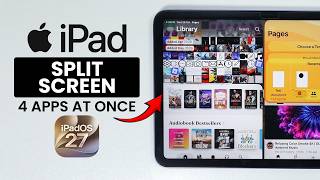
Open Settings, Multitasking and Gestures, then choose windowed apps or Stage Manager. Windowed apps keep two apps side by side, while Stage Manager adds resizable, overlapping windows.
Swipe up from a bottom corner of the screen. One corner takes a screenshot, the other opens Quick Note, so try both once to learn which is which.
Use four-finger gestures to move around. Pinch four fingers together to reach the Home Screen and swipe four fingers left or right to switch apps.
Turn on the 80 percent charging limit under Settings, Battery, Charging. It slows battery wear and suits anyone who leaves the iPad plugged in overnight.
Open Settings, Control Center and add the controls you use most, such as Dark Mode, Screen Recording or Low Power Mode.
Plug a USB-C to HDMI adapter into the iPad and connect a monitor or TV. You can mirror the screen or use the display as extra space.
Attach the Apple Pencil Pro to the magnetic edge to pair it. Then set the squeeze and Scribble options under Settings, Apple Pencil.
Tips and common mistakes
Add the second fingerprint before fitting a case, since some cases make the top button awkward to reach.
If Stage Manager feels crowded, drag the window edges to resize instead of going back to full screen.
The 80 percent limit means less runtime on long days, so switch it off before a trip.
For a Bluetooth controller, hold its pairing button until the light blinks, then pick it under Settings, Bluetooth.
Questions
Can the iPad Mini 8 do split screen without Stage Manager?
Yes. Windowed apps run two apps side by side. Stage Manager is the separate option for resizable, overlapping windows.
Why does Touch ID fail when I hold the iPad in landscape?
Usually because only one fingerprint is stored. Add a finger from each hand so the top button reads whichever is closest.
Do I need an Apple Pencil to open Quick Note?
No. Check the instructions for your exact model before choosing this setting or amount.
The notes are drafted automatically from video details and general task knowledge. How the guide was prepared
Report a correction