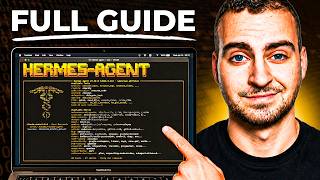
You will deploy the open source Hermes agent on a Hostinger VPS, connect it to OpenRouter and Telegram, and give it scheduled jobs, persistent memory and learned skills. It suits beginners who can follow setup steps and want an agent running around the clock. You need a Hostinger VPS, an OpenRouter account and a Telegram account.
YouTube video: AI Agents Explained for Beginners (And How to Build One)
YouTube’s video details do not confirm captions. Check CC in the player for available tracks.
- Video length
- 11 min 40 s
- Time to do it
- 1 hour
- Difficulty
- Medium
- Steps
- 8
What you need
Steps
Rent a VPS plan on Hostinger and open its control panel. Note the server IP address and the root login details Hostinger gives you.
Connect to the VPS over SSH from your computer using the IP address and root password. Update the system packages before you install anything.
Install the Hermes agent on the VPS using the AI Agent Build Kit files. Follow the kit's install commands in order and keep the terminal open.
Create an API key in your OpenRouter account and paste it into the Hermes configuration file. Save the file and restart the agent service.
Create a bot with Telegram's BotFather, copy the bot token, and add it to the Hermes config so the agent can answer in chat.
Set up scheduled jobs in the Hermes config so the agent runs tasks on a timer without you starting them by hand.
Turn on persistent memory and learned skills in the settings so the agent keeps context between runs and reuses what it learned.
Lock down access: use a strong root password, keep the API keys private, and restrict which Telegram users can message the bot.
Tips and common mistakes
Keep your OpenRouter and Telegram tokens out of public repos and screenshots.
Start with a small VPS plan and watch usage, since the agent runs around the clock.
Test each connection, OpenRouter then Telegram, before you add scheduled jobs.
Questions
Do I need to know how to code?
Basic comfort with a terminal helps, since you install Hermes and edit config files over SSH. The build kit gives you the commands to copy.
Why use a VPS instead of my own computer?
A VPS stays online all the time, so scheduled jobs and the Telegram bot keep working when your computer is off.
Can the agent cost a lot to run?
Costs depend on your VPS plan and OpenRouter usage. Keep the model and job schedule modest to stay inexpensive.
The notes are drafted automatically from video details and general task knowledge. How the guide was prepared
Report a correction