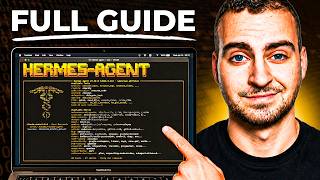
Hermes is an open source AI agent from Nous Research that you can run on your own computer or a cloud server. You will install it from the terminal, connect an AI model, link a Telegram channel and explore the web dashboard. It suits beginners who can copy commands into a terminal.
YouTube video: Hermes Agent - Crash Course for Beginners (AI Agent)
YouTube’s video details do not confirm captions. Check CC in the player for available tracks.
Choose a chapter (27)
- Video length
- 22 min 19 s
- Time to do it
- 30 minutes
- Difficulty
- Medium
- Steps
- 8
What you need
Steps
Open your terminal and install Hermes Agent with the install command from the official Nous Research docs. Wait for the install to finish before you continue.
Add your AI model credentials. The video covers Anthropic Claude and OpenAI Codex models, so pick one and paste its API key when prompted.
Set up a Telegram messaging channel so you can talk to the agent from your phone. Follow the bot setup steps shown in the chapter.
Launch the Hermes terminal interface to chat with the agent from the command line, or open the web dashboard in your browser.
Use the dashboard tabs to manage sessions, files, models, logs, cron jobs, skills and plugins.
Connect external tools through MCP, for example a Zapier MCP server, so the agent can trigger actions in other apps.
Adjust channels, profiles, config and keys in the settings area to match how you want the agent to run.
On a Mac, install the Hermes desktop app for a graphical interface. For always-on use, deploy Hermes to a Hostinger VPS.
Tips and common mistakes
Keep your API keys private and never paste them into public chats or screenshots.
Start with one model and one channel before adding plugins, so you can spot errors easily.
Check the logs tab when the agent stops responding to a message.
Questions
Do I need to pay for Hermes?
Hermes is open source under the MIT License. You still pay for the AI model API you connect and for any cloud server you use.
Can I run Hermes without a server?
Yes. You can run it locally on your computer, or use the Mac desktop app. A VPS is only needed if you want it online all the time.
Which AI models does Hermes support?
Anthropic Claude and OpenAI Codex models. You add the matching API key in the setup.
The notes are drafted automatically from video details and general task knowledge. How the guide was prepared
Report a correction