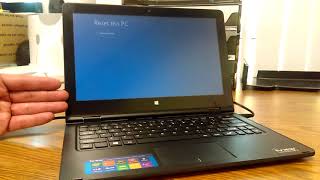
🔒 How to wipe PC before selling | Secure Erase PC | The ENTIRE process | Windows 10 & 11🔒, by Jason Bagnell on YouTube. 7 min 54 s.
- Video length
- 7 min 54 s
- Time to do it
- 1 to 2 hours
- Difficulty
- Easy
- Steps
- 10
What you need
Steps
Back up any files, photos and licence keys you want to keep to an external drive or cloud account. The reset deletes everything on the PC.
Plug in the power adapter and keep it connected for the whole process. A laptop that dies mid-reset can be left unusable.
Open Settings, go to System and then Recovery, and click Reset this PC. On Windows 10 the same option sits under Update and Security.
Choose Remove everything. The Keep my files option leaves your personal data on the drive, so do not pick it when selling.
Pick Cloud download or Local reinstall. Local reinstall is faster and needs no internet, while Cloud download pulls fresh Windows files.
Open Change settings and turn on Clean data. This overwrites the drive so old files are much harder to recover.
Confirm the reset and wait while Windows erases the drive and reinstalls. The PC may restart several times, which is normal.
On the first boot, follow the setup prompts. If asked to connect to a network, you can skip it to avoid signing in with a Microsoft account.
If setup forces a network or Microsoft account, press Shift+F10 (Shift+Fn+F10 on some laptops), type OOBE\BYPASSNRO and press Enter to create a local account instead.
Once Windows is set up, check that your old files and folders are gone. The PC is now ready to hand over.
Tips and common mistakes
Clean data can take hours on a large hard drive, so start the reset when you do not need the PC.
Sign out of and deauthorise apps and services like iTunes, Adobe or OneDrive before you wipe the machine.
On a solid state drive, the built-in Clean data option is enough for most sellers and is safer than third party tools.
Remove any memory cards, USB drives and external disks before you start so they are not wiped by mistake.
Questions
Does Reset this PC with Remove everything really delete my files?
It removes your files, apps and settings. With Clean data turned on, the drive is also overwritten, which makes recovery very unlikely for a typical seller.
Will I need my Windows product key after the reset?
Usually not. Windows 10 and 11 reactivate automatically on the same hardware. Keep the key handy anyway if you bought a retail copy.
Can I reset a PC that will not boot?
Not from Settings. You would need to use the Windows recovery environment or a USB install drive to reinstall Windows and wipe the disk.
This guide was drafted from the video's details and general task knowledge. It has not been checked against the full video. Check the video and relevant product instructions before following a procedure. Report a correction.