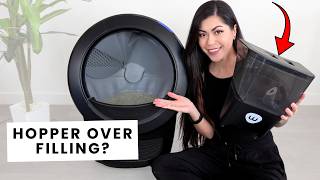
This guide walks you through a full Litter-Robot 5 cleaning cycle, from filling the globe to emptying the waste drawer. It suits new owners who want to stop scooping and keep the box smelling fresh. You will need clumping clay litter, drawer liners and the Whiskers app.
YouTube video: Litter Robot 5 Cleaning Cycle In Action! See How It Works
Caption availability is unknown. Check the CC control in the YouTube player.
Choose a chapter (7)
- Video length
- 2 min 1 s
- Time to do it
- 10 minutes
- Difficulty
- Easy
- Steps
- 7
What you need
Steps
Fill the globe with a fine, low dust clumping clay litter and keep it at the level line marked inside. Good clumping litter sifts cleanly and drops fewer crumbs.
Press the Cycle button on the control panel or start a cycle in the Whiskers app. The globe begins to rotate and the sifting grid lifts the litter with it.
Let the grid separate the clean litter from the clumps. The clumps slide through the opening into the waste drawer while the clean litter stays behind.
Wait for the reverse cycle to finish. The globe turns back, the clean litter drops into place and the bed is levelled for the next visit.
Watch the Whiskers app for the waste drawer full alert. Pull the drawer out, lift the bag by its edges and fit a fresh liner before sliding it back.
Unplug the unit before a deeper clean. Wipe the globe, sifting grid and base with a pet safe cleaner, then let every part dry fully before plugging it back in.
Wipe the weight sensor, mat and fence with a damp cloth and check nothing is trapped under the globe. Dirty sensors cause false pauses mid cycle.
Tips and common mistakes
Use only clumping clay litter, since crystal or pellet litter does not sift through the grid properly.
Keep the unit on a hard, level floor so the weight sensor reads your cat correctly.
Never push or hold the globe while it turns, because the motor and sensors expect the cycle to run freely.
Unplug the robot before wiping it down, and keep the fence fitted so cats cannot reach inside during a cycle.
Questions
Why does my Litter-Robot 5 stop in the middle of a cycle?
The weight sensor, entry mat or fence has detected your cat nearby, so the robot pauses for safety. It resumes on its own once the cat walks away.
How often should I empty the waste drawer?
Empty it when the Whiskers app sends the full alert, which is usually every few days with one cat. Check the drawer in person too, since a stuck clump can block the opening.
Can I use any cat litter in the Litter-Robot 5?
No. Stick to clumping clay litter from the maker's approved list so the sifting grid works and clumps do not break apart.
The notes are drafted automatically from video details and general task knowledge. How the guide was prepared
Report a correction