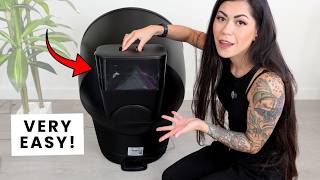
If your Litter-Robot 4 Litter Hopper keeps dumping too much litter and pushes clean litter into the waste drawer, you can recalibrate the optimal litter level and the auto top up. You will need the Whisker app and your robot's serial number. It suits any LR4 owner with the hopper fitted.
YouTube video: How to Fix Litter Robot 4 Hopper Over Filling Issue
Caption availability is unknown. Check the CC control in the YouTube player.
Choose a chapter (7)
- Video length
- 3 min 11 s
- Time to do it
- 20 minutes
- Difficulty
- Easy
- Steps
- 6
What you need
Steps
Open the Whisker app and check your Litter-Robot 4 firmware. Install any update offered and let the robot restart before you change any settings.
Find your robot's serial number and note whether it starts with LR4C or LR4S. Follow the update steps for your version, and contact Whisker support if the app will not accept the serial number.
Run the calibration reset on the optimal litter level so the robot relearns where the fill line sits. Keep the globe in its normal position during this.
Enable the Litter Hopper auto top up using the cycle and connect button sequence on the robot, then confirm the hopper shows as on in the app.
Empty litter down to a low level and start a live auto dispense test. Watch the hopper stop at the max line without dumping litter into the waste drawer.
If the robot is unresponsive after the reset, power it off, wait a minute, then power it back on and repeat the calibration before testing again.
Tips and common mistakes
Run the low litter test with the drawer empty so you can see at once if clean litter is being dumped.
Update the firmware before recalibrating, since an old version can undo your calibration.
Do not top the globe up by hand during the test, or the robot will not learn the correct fill level.
Questions
Why does my Litter-Robot 4 hopper keep overfilling?
The robot has lost track of the optimal litter level, often after a firmware change or a reset. Recalibrating and re-enabling auto top up usually fixes it.
What is the difference between LR4C and LR4S serial numbers?
They are different hardware versions of the Litter-Robot 4 and need different update steps. Check your serial number first and contact Whisker support if the app rejects it.
How do I know the fix worked?
Run the low litter level test. The hopper should stop dispensing at the max line and no clean litter should land in the waste drawer.
The notes are drafted automatically from video details and general task knowledge. How the guide was prepared
Report a correction