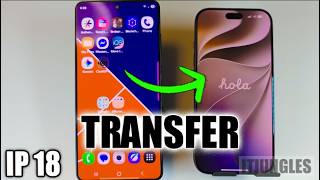
How to Transfer WhatsApp from Android to iPhone for Free (2026 Guide), by TenorshareOfficial on YouTube. 4 min.
- Video length
- 4 min
- Time to do it
- 45 minutes
- Difficulty
- Easy
- Steps
- 10
What you need
Steps
Check that your iPhone is brand new or has been wiped. Move to iOS only runs during the iPhone setup screens, so an iPhone already in daily use cannot use this method.
On your Android phone, open the Google Play Store, search for Move to iOS and install the app made by Apple.
If your iPhone is already set up, back it up first, then go to Settings, General, Transfer or Reset iPhone and tap Erase All Content and Settings.
Start the iPhone setup again. On the Apps and Data screen, choose Move Data from Android.
Open Move to iOS on the Android phone, tap Continue, accept the terms, then type the one-time code shown on the iPhone.
On the data screen, tick WhatsApp and any other items you want, then tap Next. Keep both phones close together and plugged in.
Wait while the transfer runs. Large chat histories with videos can take a long while, so leave both screens on and do not open other apps.
Finish the iPhone setup, then install WhatsApp from the App Store and sign in with the same phone number you used on Android.
When WhatsApp asks, confirm that you want to import your chat history and wait for the messages to appear.
If you cannot erase your iPhone, a desktop tool such as iCareFone Transfer can move chats over USB. It needs USB debugging on Android and your 64-digit encrypted backup key.
Tips and common mistakes
Keep both phones on the same Wi-Fi network and on chargers, since the transfer can stall on a weak connection or a low battery.
Stay signed in to WhatsApp on the Android phone until the whole process ends, so you still have the original chats if something fails.
Do not open WhatsApp on the iPhone before the transfer finishes, or you may skip the import prompt and start with empty chats.
Back up your Android chats to Google Drive as a safety net before you start.
Questions
Does Move to iOS copy WhatsApp photos and videos too?
Yes. WhatsApp is one of the items you can tick during the transfer, and it brings across messages, photos, videos and other attachments.
Do I really have to erase my iPhone?
For the free Apple method, yes. Move to iOS only appears during setup, so you must reset the iPhone and set it up again.
Is this transfer free?
The Move to iOS route is free and made by Apple. Third-party desktop tools usually need a paid licence, so check the terms before you install one.
This guide was drafted from the video's details and general task knowledge. It has not been checked against the full video. Check the video and relevant product instructions before following a procedure. Report a correction.