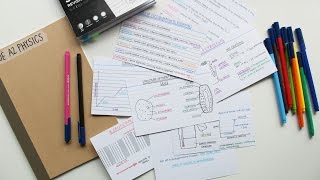
You will learn how to set up Brainscape flashcards for your class and get students making their own cards. It suits teachers who want personalized, spaced repetition study. You need the free Brainscape app or website and a class account.
YouTube video: Unlock Your Students' Potential: How Brainscape Can Help Teachers Personalize Learning
YouTube’s video details do not confirm captions. Check CC in the player for available tracks.
Choose a chapter (5)
- Video length
- 6 min 51 s
- Time to do it
- 20 minutes
- Difficulty
- Easy
- Steps
- 6
What you need
Steps
Decide which classes suit Brainscape best. Fact-heavy subjects like languages, science terms and history dates work better than open-ended essay work.
Create a class in Brainscape and share the join link or class code with your students so their cards stay in one place.
Encourage or require each student to make their own flashcards instead of only handing out pre-made decks. Writing the cards is part of the learning.
Show students how to add a card: tap the plus button, type the question on the front and the answer on the back, then save.
Set a shared assignment so students build cards together on the same topic, then review each other's cards.
Tell students to study the deck daily in short sessions so the spaced repetition schedule works.
Tips and common mistakes
Keep each card to one fact so the app can schedule it properly.
Check student-made cards for errors before they study them.
Use short daily sessions rather than one long cram before a test.
Questions
Do students need a paid account?
No. The free Brainscape app is enough to make and study your own flashcards.
Can several students edit the same deck?
Yes. Set up a shared class assignment so students add cards to the same topic and review each other's work.
Which subjects work best?
Fact-heavy topics such as vocabulary, definitions and dates suit flashcards best.
The notes are drafted automatically from video details and general task knowledge. How the guide was prepared
Report a correction