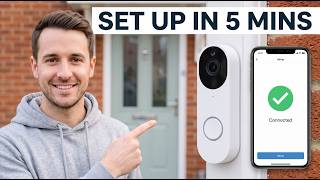
Replace an existing wired doorbell with the Ring Wired Doorbell Plus (2nd Gen) and finish setup in the Ring app. It suits beginners with a compatible wired doorbell and transformer. You need the Ring app, a phone, and a compatible existing chime.
YouTube video: How to Install & Set Up Ring Wired Doorbell – Complete Step-by-Step Setup Guide
YouTube’s video details do not confirm captions. Check CC in the player for available tracks.
Choose a chapter (21)
- Video length
- 16 min 9 s
- Time to do it
- 45 minutes
- Difficulty
- Medium
- Steps
- 9
What you need
Steps
Download the Ring, Always Home app and create an account. Verify your email address and phone number, then set a passkey and your home location.
In the app, add a new Ring doorbell and follow the in-app installation prompts.
Check your existing wired doorbell and transformer against the requirements shown in the Ring app.
Find the doorbell circuit breaker and turn off power before touching any wiring.
Open the cover of your indoor doorbell chime and connect the Chime Kit Mini to the Front and Trans terminals. Mount the kit near the chime and replace the cover.
Remove the old doorbell button outside and secure the Ring mounting bracket in its place.
Connect the existing doorbell wires to the Ring doorbell and mount it on the bracket.
Restore power at the breaker, allow the phone permissions the app asks for, and connect the doorbell to your Wi-Fi.
Confirm setup in the app, then adjust motion alerts and motion zones.
Tips and common mistakes
Turn off the breaker before working on the wiring and confirm the power is off.
If you are unsure about your wiring or transformer, stop and consult a qualified electrician.
Battery-powered Ring models need a different setup, so check your model first.
Questions
Do I need an existing wired doorbell?
Yes. This setup replaces an existing wired doorbell and uses the included Chime Kit Mini with your indoor chime.
How do I know my transformer is compatible?
Check its specifications against the requirements shown in the Ring app before you start wiring.
Can I use this guide for a battery Ring doorbell?
No. Battery models have different requirements and a different installation process.
The notes are drafted automatically from video details and general task knowledge. How the guide was prepared
Report a correction