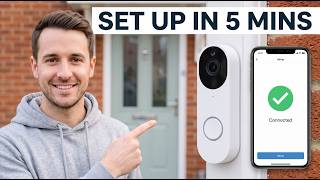
You will set up a battery-powered Ring doorbell in the Ring app and mount it on wood, brick, concrete or stucco without any doorbell wiring. It suits anyone fitting their first wireless doorbell. You need a charged battery, the Ring app and a drill.
YouTube video: How to Install a Wireless Ring Doorbell Step-by-Step (App & Mounting)
Captions are available. Use CC in the YouTube player.
Choose a chapter (8)
- Video length
- 1 min 55 s
- Time to do it
- 30 minutes
- Difficulty
- Easy
- Steps
- 8
What you need
Steps
Fully charge the Ring doorbell battery before you start.
Download the Ring app, sign in, tap Set Up a Device and scan the QR code on the doorbell.
Set your home location, drop the map pin and give the doorbell a name.
Remove the protective film and press the setup button until the front ring spins white.
Join the temporary Ring Wi-Fi network, pick your home Wi-Fi, enter the password and let any firmware updates finish.
Hold the mounting bracket about 48 inches above the ground, check it with a level and mark the screw holes with a pencil.
Drill pilot holes and fit wall anchors for brick, concrete or stucco, or screw directly into wood.
Secure the mounting bracket, then snap the doorbell into place.
Tips and common mistakes
Finish the app setup and firmware update indoors before you mount the doorbell outside.
Mount the doorbell about 48 inches (4 feet) off the ground to get a good view of faces and packages.
Use wall anchors on masonry so the bracket does not pull loose.
Questions
Do I need existing doorbell wiring?
No. This is a battery-powered doorbell, so you set it up wirelessly and mount it without connecting any doorbell wires.
Why does the front ring spin white?
The white spinning light means the doorbell is in setup mode and ready to pair with the Ring app.
How high should the doorbell go?
Mount it about 48 inches (4 feet) above the ground for the best angle.
The notes are drafted automatically from video details and general task knowledge. How the guide was prepared
Report a correction