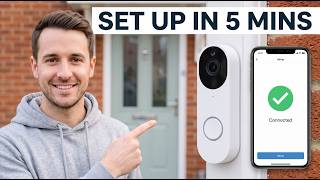
Set up a Ring Video Doorbell in the Ring app, then mount it as a battery model or wire it to your existing chime. It suits any homeowner with basic drill skills. You need the Ring app, a 2.4 GHz Wi-Fi network and a charged battery.
YouTube video: How to Install a Ring Doorbell Step-by-Step (Wireless & Hardwired Installation)
YouTube’s video details do not confirm captions. Check CC in the player for available tracks.
Choose a chapter (11)
- Video length
- 5 min 53 s
- Time to do it
- 45 minutes
- Difficulty
- Medium
- Steps
- 9
What you need
Steps
Charge the battery fully, then open the Ring app and scan the QR code on the doorbell or its box to add the device.
Set your home location and address, then give the doorbell a name so alerts are easy to read.
Press the setup button until a white light spins, then connect the doorbell to your 2.4 GHz Wi-Fi network.
Let the firmware update finish completely. Do not press the setup button or cut power during the update.
Check the instructions for your exact model before choosing this setting or amount.
Screw the bracket to the wall, clip in the battery, fit the faceplate and tighten the supplied security screw.
For a wired model, check the transformer rating, then switch off the doorbell circuit at the electrical breaker before touching any wires.
Open your indoor chime and connect the jumper cable to the FRONT and TRANS terminals.
Mount the wired doorbell, connect its wires, restore breaker power and check Live View in the app.
Tips and common mistakes
Always switch off the doorbell circuit at the breaker before touching doorbell or chime wires.
Use only the supplied mounting and security screws, since wrong screws can damage the battery or electronics.
Mount at 4 ft (1.2 m) so the motion sensor catches faces, not just the tops of heads.
If setup fails, move the doorbell closer to the router during the Wi-Fi step.
Questions
Do I need to turn off the power for a battery doorbell?
No. Battery models run on the battery alone, so no breaker work is needed. Only wired models connect to your home's doorbell wiring.
Why does the Ring app not find my doorbell?
The setup button must be pressed until the white light spins, and your phone must be on a 2.4 GHz Wi-Fi network. Move closer to the router and try again.
What is the jumper cable for?
It connects the FRONT and TRANS terminals inside your indoor chime so the wired doorbell gets power and can ring the chime.
The notes are drafted automatically from video details and general task knowledge. How the guide was prepared
Report a correction