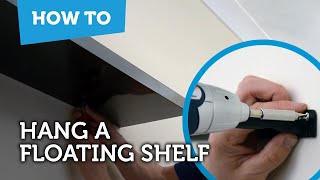
You can mount floating shelves on plasterboard by fixing them into the timber studs behind the board. This guide suits beginners with a drill and a level. You need floating shelves, wall anchors, a 1200mm level and a cordless drill or driver.
YouTube video: How To Hang Floating Shelves On A Plasterboard Wall
YouTube’s video details do not confirm captions. Check CC in the player for available tracks.
- Video length
- 5 min 11 s
- Time to do it
- 30 minutes
- Difficulty
- Easy
- Steps
- 7
What you need
Steps
Find the timber studs behind the plasterboard. Tap along the wall and listen for a solid sound, or use a stud finder and mark each stud with a pencil.
Hold the shelf bracket against the wall and set it level with your 1200mm level. Mark the screw holes over the studs.
Drill pilot holes at your marks, slightly narrower than your screws, so the plasterboard does not crumble.
Push wall anchors into any holes that are not over a stud, then tap them flush with the wall.
Drive the screws through the bracket into the studs or anchors with the cordless drill. Check the level again before tightening fully.
Slide the floating shelf onto the bracket and press it down until it sits tight against the wall.
Load the shelf with light items first and check it stays level and firm before adding more weight.
Tips and common mistakes
Aim for the studs every time. Plasterboard alone holds very little weight.
Check the level after each screw, not just at the start.
Use anchors rated for the weight you plan to put on the shelf.
Questions
Can I hang a floating shelf on plasterboard without studs?
Only with proper wall anchors rated for the load. Keep the shelf light and spread the weight across several fixing points.
How do I find studs in a plasterboard wall?
Tap the wall and listen for a solid, dull sound, or use a stud finder. Mark each stud clearly before you drill.
What drill setting should I use?
Use a low clutch or drill setting and a bit narrower than your screws. Stop when the screw head meets the bracket.
The notes are drafted automatically from video details and general task knowledge. How the guide was prepared
Report a correction